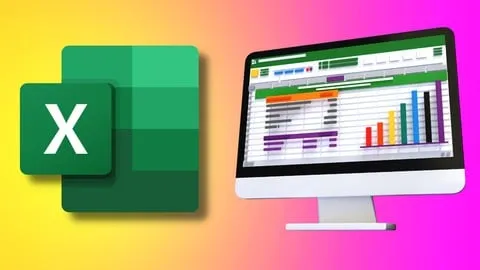
The Complete Microsoft Excel Course: Beginner to Advanced
Affiliate link — we may earn a commission. Learn more
The Complete Microsoft Excel Course: Beginner to Advanced Review
Looking for a high-quality free Microsoft Excel course to boost your professional productivity? "The Complete Microsoft Excel Course: Beginner to Advanced" by Brighter Futures Hub is a comprehensive Udemy course designed to help you learn Excel online from the ground up. Updated October 2024, this training provides the practical skills necessary to transition from a complete novice to a power user, enabling you to handle everything from basic data entry to complex automated dashboards and data models.
What You'll Learn
- Master the Microsoft Excel interface and navigation to increase your workflow efficiency.
- Build complex spreadsheets from scratch using a variety of data organization techniques.
- Implement logical functions including IF, IFS, AND, OR, and NOT to automate decision-making within your data.
- Analyze large datasets using advanced lookup functions such as VLOOKUP, HLOOKUP, INDEX, MATCH, and XLOOKUP.
- Create professional data visualizations using Bar, Pie, Bubble, and Line charts to present insights effectively.
- Understand mathematical and text functions like SUM, AVERAGE, CONCATENATE, and MID to clean and manipulate data.
- Apply advanced data analysis tools including PivotTables and Pivot Charts for dynamic reporting.
- Develop interactive dashboards that transform raw numbers into actionable business intelligence.
Course Details
- Instructor: Brighter Futures Hub
- Rating: 3.7 stars
- Level: Beginner to Advanced
- Language: English
- Certificate: Yes, upon completion
- Includes: Lifetime access, mobile-friendly content, and structured walkthroughs
What This Course Covers
Excel Foundations and Interface
- Navigating the ribbon, quick access toolbar, and worksheet tabs
- Understanding the hierarchy of Workbooks, Worksheets, and Cells
- Entering, formatting, and organizing data for maximum readability
- Basic cell referencing and managing worksheet layouts
- Utilizing essential tools for sorting and filtering data effectively
Fundamental Formulas and Math Functions
- Implementing basic mathematical functions such as SUM, AVERAGE, and COUNT
- Using the ROUND function to maintain data precision in financial reports
- Mastering date and time functions for project tracking and scheduling
- Applying basic arithmetic operations to automate calculations
- Creating simple formulas to handle everyday office productivity tasks
Logical and Text Manipulation
- Mastering conditional functions like IF and IFS for automated data categorization
- Using logical operators including AND, OR, and NOT to create complex criteria
- Implementing TEXT functions such as CONCATENATE to merge data strings
- Using LEFT, RIGHT, and MID functions to extract specific information from cells
- Applying data validation to ensure input accuracy and consistency
Advanced Lookup and Reference Tools
- Implementing VLOOKUP and HLOOKUP to retrieve data across different tables
- Mastering the INDEX and MATCH combination for more flexible data retrieval
- Utilizing XLOOKUP for modern, efficient searching within large spreadsheets
- Working with named ranges and structured references to simplify formulas
- Building cross-sheet references to connect multiple data sources
Data Analysis and Visualization
- Creating and managing Excel Tables for structured data handling
- Mastering PivotTables to summarize thousands of rows of data in seconds
- Designing Pivot Charts for dynamic and interactive data exploration
- Building various chart types including Bubble, Pie, and Line graphs
- Creating professional reports and interactive dashboards for stakeholders
Data Cleaning and Management
- Removing duplicate entries to ensure data integrity
- Utilizing advanced filtering techniques to isolate specific data points
- Applying conditional formatting to highlight trends and outliers
- Performing "What-If" analysis and using scenario tools for forecasting
- Organizing raw data into a format ready for professional analysis
Who Should Take This Course
- Absolute Beginners: Individuals who have never opened a spreadsheet and want to learn Excel from scratch.
- Corporate Professionals: Employees in administrative, management, or operations roles who need Excel for reporting and productivity.
- Finance and Accounting Specialists: Professionals seeking to master advanced formulas, VLOOKUP, and PivotTables for financial modeling.
- Students and Academics: Those looking to boost their academic projects, research data, and employability with a certified skill.
- Aspiring Data Analysts: Individuals transitioning into data-centric roles who need a strong foundation in data manipulation and visualization.
- Entrepreneurs: Small business owners who want to streamline their bookkeeping and track business growth using data-driven tools.
Prerequisites
- No prior experience with Microsoft Excel is needed — this course is completely beginner-friendly.
- Access to a computer with Microsoft Excel installed (any recent version) is highly recommended for following along with the exercises.
- Basic computer literacy, such as the ability to navigate files and folders, is sufficient to start.
Why Enroll in This Course
In today's job market, Excel proficiency is one of the most in-demand skills across almost every industry. This course provides a seamless transition from basic navigation to advanced data modeling, making it a one-stop shop for professional development. Because a free coupon is often available for a limited time, you can access this high-value training at 100% off, removing the financial barrier to gaining these essential skills. Compared to fragmented tutorials, this course offers a structured path that ensures you don't miss critical concepts as you progress toward becoming a power user.
Course Highlights
- Comprehensive Learning Path: Moves logically from beginner basics to advanced functions in a single curriculum.
- Practical Application: Focuses on real-world datasets and exercises rather than just theoretical concepts.
- Lifetime Access: Once enrolled, you have permanent access to all video lessons and materials for future reference.
- Certification of Completion: Earn a certificate that you can add to your LinkedIn profile or resume to verify your skills.
- Self-Paced Format: Learn at your own speed, allowing you to revisit complex modules like PivotTables and Lookup functions.
- Mobile-Friendly Content: Access the training on the go via the Udemy mobile app to learn during commutes or breaks.
Frequently Asked Questions
Q: Is this course really free? A: Yes, this course is available for free when you use a valid limited-time coupon code. These coupons allow you to enroll in the full program at 100% off, providing the same content as the paid version.
Q: What will I learn in this Microsoft Excel course? A: You will learn everything from the basic interface and simple formulas to advanced data analysis tools. The curriculum covers logical functions, advanced lookups like XLOOKUP, PivotTables, and the creation of interactive dashboards.
Q: Do I get a certificate after completing this course? A: Yes, upon successful completion of all the modules, you will receive a certificate of completion from Udemy. This serves as a professional credential that demonstrates your proficiency in Microsoft Excel to potential employers.
Q: Is this course suitable for beginners? A: Absolutely, the course is specifically designed to take students from "beginner to advanced." It starts with the most basic concepts, such as navigating the ribbon and entering data, before introducing complex formulas.
Q: How long do I have to enroll for free? A: Free coupons are typically limited by time or a maximum number of redemptions. It is highly recommended to enroll as soon as possible to secure your spot and gain lifetime access to the materials.
Final Thoughts
"The Complete Microsoft Excel Course: Beginner to Advanced" is an excellent resource for anyone looking to master the world's most popular spreadsheet software. By covering everything from basic cell formatting to advanced PivotTables, this course equips learners with the tools needed to excel in any data-driven professional environment. Whether you are a student or a seasoned professional, enrolling in this Microsoft Excel training is a smart investment in your career growth.
Affiliate link — we may earn a commission
Affiliate link — we may earn a commission. Learn more