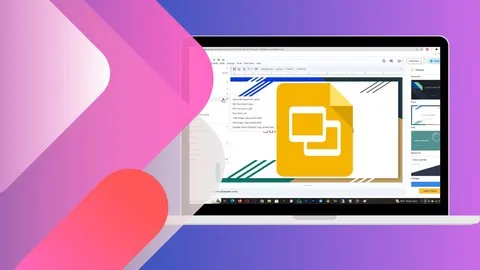
Google Slides: Full Guide to Creating Impactful Presentation
Affiliate link — we may earn a commission. Learn more
Looking for a free Google Slides course to elevate your presentation game? The Google Slides: Full Guide to Creating Impactful Presentation by instructor Click Learning is a comprehensive Udemy course designed to help you learn Google Slides online. Updated for 2024, this training provides the practical skills needed to build professional, visually stunning slideshows for any business or academic setting. Whether you are looking for a Google Slides Udemy course to boost your productivity or a way to master digital storytelling, this guide covers everything from basic slide creation to advanced multimedia integration and collaboration.
What You'll Learn
- Master the complete Google Slides interface to navigate tools and menus with professional speed and efficiency.
- Build visually appealing presentations from scratch using custom themes, professional templates, and optimized layouts.
- Implement advanced animation and transition effects to create a dynamic flow that keeps your audience engaged.
- Create complex data visualizations by linking charts and tables from other Google Workspace tools for real-time updates.
- Apply professional design principles by utilizing the Paint Format tool, layering images, and aligning elements precisely.
- Analyze and manage presentation content using the Slide Master to ensure consistent branding across all slides.
- Develop interactive presentation elements such as action buttons and hyperlinked content for a non-linear user experience.
- Execute professional delivery techniques using voice-typed speaker notes and audience question management tools.
Course Details
- Instructor: Click Learning
- Rating: 4.4 stars (189,149 enrollments)
- Level: Beginner to Intermediate
- Language: English
- Certificate: Yes, upon completion
- Includes: Lifetime access, mobile-friendly content, and self-paced learning
What This Course Covers
Presentation Fundamentals and Text Mastery
- Create and configure new presentations with a focus on organizational structure
- Master text formatting, including the use of text boxes and paragraph alignment
- Implement bulleted and numbered lists to organize complex information clearly
- Use the Paint Format tool to maintain visual consistency across different text elements
- Explore the process of saving and sharing presentations for seamless collaboration
Visual Design and Image Manipulation
- Master six different ways to insert images into your slides for maximum flexibility
- Apply advanced cropping and resizing techniques, including creating circular images
- Organize visual elements using layering, arranging, and distribution tools
- Create custom graphics using the shapes tool and Word Art for impactful headings
- Implement transparent background images to create a polished, integrated look
Data Visualization and Multimedia Integration
- Design and customize professional tables to present structured data effectively
- Create and embed charts, including the ability to link them for automatic updates
- Incorporate high-quality video content directly into slides to enhance storytelling
- Utilize diagrams to visualize processes, hierarchies, and workflows
- Manage image-to-shape insertion to create unique visual framing for photos
Advanced Layouts and Theme Customization
- Dive deep into the Slide Master to control the global look and feel of a presentation
- Import and customize third-party themes to move beyond standard Google templates
- Add and edit custom placeholders to create standardized templates for team use
- Manage slide organization by duplicating, hiding, and moving slides for better flow
- Utilize free templates and learn how to modify them to fit specific brand guidelines
Delivery, Collaboration, and Exporting
- Implement slide transitions and object animations to add professional polish
- Use both text and voice-type speaker notes to prepare for live delivery
- Manage audience interaction by accepting and presenting questions in real-time
- Convert finished presentations into PDF format for secure and universal sharing
- Collaborate in real-time using a shared workspace and a structured commenting system
- Configure Google Slides for offline use to ensure presentation reliability without internet
Who Should Take This Course
- Students and Educators: Those looking to create engaging academic presentations, digital assignments, or interactive lecture materials.
- Business Professionals: Corporate employees who need to deliver high-stakes reports, project updates, or boardroom presentations.
- Entrepreneurs and Marketers: Individuals designing compelling pitch decks, marketing materials, or product showcases for potential investors.
- Administrative Assistants: Professionals tasked with creating polished documentation and visual summaries for executive leadership.
- Beginner Tech Users: Anyone who wants to transition from traditional software like PowerPoint to a cloud-based collaborative environment.
Prerequisites
- No prior experience with presentation software is needed — this course is beginner-friendly.
- A basic understanding of how to navigate a web browser and a free Google account are recommended.
- Familiarity with basic typing and computer navigation is helpful but not required.
Why Enroll in This Course
This course offers an exceptional value proposition for anyone looking to master a critical office productivity tool. By taking advantage of a free coupon, learners can access this comprehensive training 100% off for a limited time. Unlike brief tutorials, this guide provides a deep dive into both the aesthetic and technical sides of presentation design. The ability to transform a dry set of data into a captivating visual story is a high-value skill in today's remote-first job market, making this limited-time opportunity an essential investment in your professional development.
Course Highlights
- Comprehensive Curriculum: Covers everything from the very first click to advanced publishing and offline workflows.
- Practical Application: Focuses on hands-on projects that allow you to apply design theories to real-world slides.
- Collaboration Focus: Dedicated training on using Google's ecosystem for real-time teamwork and feedback.
- Versatile Export Options: Teaches you how to move your work from the cloud to portable formats like PDF.
- Self-Paced Learning: Enjoy lifetime access to all materials, allowing you to return to specific modules as you encounter new challenges.
- Professional Certification: Receive a certificate of completion to validate your skills on LinkedIn or a resume.
Frequently Asked Questions
Q: Is this course really free? A: Yes, this course is available for free when you use a valid 100% off coupon. These coupons are typically offered for a limited time to help new learners get started with the platform and the subject matter.
Q: What will I learn in this Google Slides course? A: You will learn the end-to-end process of creating a presentation, starting with the basic interface and moving into advanced design. Key topics include image manipulation, data linking through charts, using the Slide Master for branding, and professional delivery techniques like voice-typing notes.
Q: Do I get a certificate after completing this course? A: Yes, upon completing all the video lectures and requirements, you will receive a certificate of completion. This certificate can be used to demonstrate your proficiency in office productivity tools to current or future employers.
Q: Is this course suitable for beginners? A: Absolutely. The curriculum is structured to take you from a complete novice level to an advanced user. It starts with "Google Slides Basics" before introducing more complex features, ensuring that no learner is left behind.
Q: How long do I have to enroll for free? A: Free coupons are generally time-sensitive and may expire after a few days or once a certain number of redemptions are reached. It is recommended to enroll as soon as possible to secure your lifetime access to the course materials.
Final Thoughts
The Google Slides: Full Guide to Creating Impactful Presentation is an ideal choice for anyone wanting to master the art of digital presentations. By combining technical "how-to" knowledge with design principles, this course ensures you can produce slides that are both functional and beautiful. Whether you are a student, a business leader, or a freelancer, mastering Google Slides will significantly enhance your ability to communicate ideas. Enroll today and start your journey toward creating presentations that truly leave a lasting impression.
Affiliate link — we may earn a commission
Affiliate link — we may earn a commission. Learn more