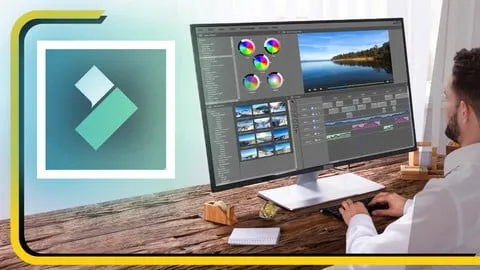
Learn Filmora for Video Editing Masterclass Course
Affiliate link — we may earn a commission. Learn more
Learn Filmora for Video Editing Masterclass – taught by Sayman Creative Institute – is a Udemy‑hosted online course that lets beginners master video editing with Wondershare Filmora. Updated July 2026, this free Filmora course covers everything from basic cuts to advanced color grading, preparing you to create YouTube‑ready content and professional‑grade films. The curriculum focuses on practical skills, hands‑on projects, and a certification that validates your new editing expertise.
What You'll Learn
- Build polished video projects using Filmora’s timeline and multi‑track editing tools.
- Master cutting, trimming, and splitting clips to craft seamless narratives.
- Learn color correction techniques that enhance visual consistency across scenes.
- Understand audio editing workflows, including voice‑over insertion and background‑music syncing.
- Create dynamic transitions, overlays, and effects that keep viewers engaged.
- Implement text animations, lower‑thirds, and graphic stickers for professional branding.
- Apply advanced features such as keyframing, motion tracking, and green‑screen compositing.
- Analyze export settings to optimize videos for YouTube, Instagram, and other social platforms.
Course Details
- Instructor: Sayman Creative Institute
- Rating: 4.1 stars
- Level: Beginner
- Language: English (en‑US)
- Enrolled students: 481,151
- Certificate: Yes, upon completion
- Includes: Hands‑on editing projects, Certificate of completion, Lifetime access to all materials
What This Course Covers
Introduction to Filmora
- Navigating the Filmora interface and customizing the workspace.
- Importing media files, organizing assets, and setting project properties.
- Understanding basic file formats and resolution options.
Basic Editing Techniques
- Cutting, trimming, and splitting clips for clean story flow.
- Adding transitions, overlays, and simple visual effects.
- Using the timeline to arrange clips in logical sequence.
Advanced Editing Skills
- Keyframing motion paths for dynamic movement.
- Applying motion tracking to attach graphics to moving objects.
- Exploring color grading tools and 3D LUTs for cinematic looks.
Audio Editing and Enhancement
- Importing background music, sound effects, and voice‑overs.
- Adjusting volume levels, applying fade‑in/out, and noise reduction.
- Synchronizing audio with visual cues for professional polish.
Text, Graphics, and Special Effects
- Designing animated titles, lower‑thirds, and captions.
- Incorporating stickers, overlays, and custom graphics.
- Using split‑screen and green‑screen techniques for creative storytelling.
Exporting and Sharing
- Selecting optimal export formats for YouTube, Instagram, and TikTok.
- Configuring bitrate, resolution, and frame‑rate settings.
- Directly uploading finished videos to social platforms from Filmora.
Who Should Take This Course
- Beginners who have never edited a video before.
- Aspiring YouTubers looking to produce high‑quality content.
- Social‑media marketers needing fast, eye‑catching video ads.
- Small‑business owners wanting to create promotional videos.
- Hobbyists who want to turn personal footage into polished movies.
Prerequisites
- No prior experience needed — this course is beginner‑friendly.
- Basic computer literacy and a stable internet connection are recommended.
Why Enroll in This Course
This masterclass delivers a complete Filmora learning path without any hidden fees, and a free coupon provides a 100 % off price for a limited time. The hands‑on projects accelerate skill acquisition, while the Udemy platform ensures lifetime access and mobile compatibility. Compared with scattered tutorials, this structured curriculum guarantees consistent progress and a recognized certificate.
Course Highlights
- Lifetime access to all video lessons and resources.
- Self‑paced learning allows you to study whenever you choose.
- Certificate of completion validates your new editing abilities.
- Real‑world projects simulate professional video production scenarios.
- Mobile‑friendly interface lets you practice on tablets or phones.
- 30‑day money‑back guarantee for risk‑free enrollment.
Frequently Asked Questions
Q: Is this course really free?
A: Yes, a free coupon makes the entire Learn Filmora for Video Editing Masterclass 100 % off for a limited period. The discount applies at checkout on Udemy, removing all cost barriers.
Q: What will I learn in this Filmora course?
A: You will learn to navigate Filmora, perform basic cuts, apply transitions, master color correction, edit audio, create animated text, and export videos for multiple platforms. Each skill is taught through practical, step‑by‑step demonstrations.
Q: Do I get a certificate after completing this course?
A: Upon finishing all lectures and projects, Udemy issues a downloadable certificate confirming your proficiency in Filmora video editing.
Q: Is this course suitable for beginners?
A: Absolutely. The curriculum starts with fundamental concepts and progressively introduces advanced techniques, making it ideal for those with no prior editing experience.
Q: How long do I have to enroll for free?
A: The free coupon is available for a limited time, typically a few days to a week, so enrolling promptly ensures you receive the 100 % discount.
Final Thoughts
If you want to create captivating videos with Filmora and earn a recognized certification, the Learn Filmora for Video Editing Masterclass offers a comprehensive, beginner‑friendly path. Grab the free coupon, start the lessons today, and launch your video‑editing career with confidence.
Affiliate link — we may earn a commission
Affiliate link — we may earn a commission. Learn more