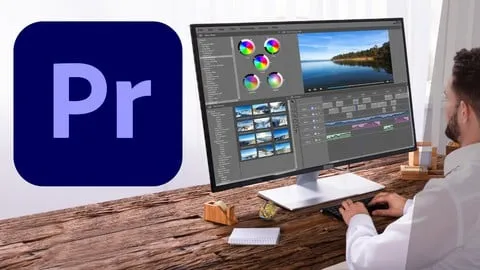
Adobe Premiere Pro 101: Learn Editing, Effects & Transitions
Affiliate link — we may earn a commission. Learn more
Adobe Premiere Pro 101: Learn Editing, Effects & Transitions – Full Course Review
Looking for a free Adobe Premiere Pro course to jumpstart your creative journey? Adobe Premiere Pro 101: Learn Editing, Effects & Transitions, taught by expert instructor Logic Labs, is a comprehensive Adobe Premiere Pro udemy course designed for those who want to learn video editing online. Updated October 2024, this training provides the practical skills needed to transform raw footage into professional-grade cinema, making it an ideal choice for anyone seeking an industry-standard certification.
What You'll Learn
- Master the Adobe Premiere Pro interface and customize workspaces for maximum editing efficiency.
- Build professional video projects from scratch by configuring correct project files and sequence settings.
- Implement precise trimming techniques using the Ripple Edit, Rolling Edit, Slide, and Slip tools.
- Create dynamic video slideshows and manipulate video speed to control the pacing of your story.
- Develop polished captions and professional titles utilizing the Essential Graphics panel.
- Apply advanced keyframing to create smooth animations and motion effects within your timeline.
- Execute seamless transitions and professional filters to enhance the visual flow between scenes.
- Export high-quality video files optimized for YouTube, social media, and professional presentations.
Course Details
- Instructor: Logic Labs
- Rating: 4.3 stars (41,146 reviews)
- Level: Beginner
- Language: English
- Enrolled students: 41,146
- Certificate: Yes, upon completion
- Includes: Lifetime access, mobile-friendly content, and project-based learning
What This Course Covers
Getting Started and Interface Mastery
- Understanding the Adobe Premiere Pro workspace and panel organization
- Step-by-step guide to creating a new project file from scratch
- Configuring and adjusting sequence settings to match source footage
- Methods for importing and organizing raw media for an efficient workflow
- Customizing the interface to suit specific editing styles and needs
Essential Editing and Trimming Tools
- Mastering the basics of the timeline and clip arrangement
- Utilizing the Ripple Edit Tool to eliminate gaps automatically during trims
- Applying the Rolling Edit Tool to adjust cut points without changing duration
- Using the Slide and Slip tools to reposition content within a clip
- Implementing Trim Edit Mode for rapid, high-precision sequence adjustments
Timeline Customization and Clip Management
- Techniques for replacing clips while maintaining existing effects and timing
- Customizing the timeline view for better visibility and organization
- Adjusting video speed and duration for slow-motion or time-lapse effects
- Creating engaging video slideshows using image sequences
- Managing project settings to ensure consistency across different export formats
Advanced Effects and Motion Graphics
- Implementing advanced keyframing to animate properties like scale and position
- Using the Essential Graphics panel to create modern titles and overlays
- Applying professional video filters to enhance the mood and tone of the footage
- Creating custom presets to save time on repetitive editing tasks
- Mastering seamless scene transitions to maintain viewer engagement
Finalization and Exporting
- Generating accurate closed captions for accessibility and social media reach
- Using the export module to select the best codecs for various platforms
- Balancing audio levels and applying basic sound refinements
- Final review processes to ensure professional polish and quality control
- Optimizing render settings for high-definition output without sacrificing quality
Who Should Take This Course
- Complete beginners who have never opened video editing software and want to learn Adobe Premiere Pro from scratch.
- YouTubers and content creators looking to increase their production value with professional cuts and effects.
- Social media managers who need to produce high-quality short-form video clips for Instagram, TikTok, and LinkedIn.
- Aspiring filmmakers and editors who want to build a professional portfolio using industry-standard tools.
- Marketing professionals wanting to create engaging promotional videos and corporate presentations in-house.
Prerequisites
- No prior experience in video editing is needed — this course is entirely beginner-friendly.
- A computer capable of running Adobe Premiere Pro.
- Access to the Adobe Premiere Pro software (trial or paid subscription).
- Basic familiarity with computer file management (creating folders and moving files).
Why Enroll in This Course
This course offers a streamlined path to mastering one of the most powerful editing tools in the world. By focusing on a project-based approach, it ensures that students don't just learn the tools, but understand how to apply them to real-world scenarios. Currently, there is a limited time opportunity to access this training via a free coupon, offering the course at 100% off. Given the high enrollment numbers and positive rating, this is a rare chance to acquire a professional skill set without any financial investment.
Course Highlights
- Lifetime Access: Once enrolled, you have permanent access to all video lectures and updates.
- Self-Paced Learning: Study at your own speed, allowing you to pause and practice each technique in the software.
- Project-Based Curriculum: Learn by doing with practical examples that mirror real-world editing tasks.
- Certificate of Completion: Receive a recognized certificate upon finishing the course to add to your resume or LinkedIn profile.
- Mobile-Friendly Content: Access the lessons on any device, making it easy to learn while on the go.
- Comprehensive Toolset: Covers everything from basic cuts to advanced keyframing and graphics.
Frequently Asked Questions
Q: Is this course really free? A: Yes, the course can be accessed for free when a valid 100% off coupon is available. These coupons are typically limited-time offers, so it is recommended to enroll as soon as possible to secure your spot. Once you enroll using the coupon, you keep the course forever.
Q: What will I learn in this Adobe Premiere Pro course? A: You will learn the entire pipeline of video editing, starting from the initial project setup and interface navigation. The course covers essential trimming tools, advanced motion effects, keyframing, and the use of essential graphics. Finally, you will learn how to export your polished videos for professional use on any platform.
Q: Do I get a certificate after completing this course? A: Yes, upon successful completion of all the course modules, you will receive a certificate of completion from Udemy. This certificate serves as proof of your skills in Adobe Premiere Pro and can be shared with potential employers or clients.
Q: Is this course suitable for absolute beginners? A: Absolutely. The course is specifically designed as a "101" level introduction, meaning it assumes you have zero prior knowledge of video editing. The instructor guides you step-by-step through the interface and basic tools before moving on to more complex techniques.
Q: How long do I have to enroll for free? A: Free coupons for Udemy courses are usually limited by either a time limit or a maximum number of redemptions. Because these spots fill up quickly, you should enroll immediately to ensure you get the 100% discount before the promotion expires.
Final Thoughts
Adobe Premiere Pro 101: Learn Editing, Effects & Transitions is an essential resource for anyone looking to master the art of digital storytelling. Whether you are aiming for a career in film or simply want to improve your social media presence, this course provides a structured and thorough introduction to the topic. Enroll today and start your journey toward becoming a professional video editor with Logic Labs!
Affiliate link — we may earn a commission
Affiliate link — we may earn a commission. Learn more