Graphics Design and Video Editing Course for Beginner
Affiliate link — we may earn a commission. Learn more
Graphics Design and Video Editing Course for Beginner Review
Looking for a comprehensive and free graphics design and video editing course to kickstart your creative career? The Graphics Design and Video Editing Course for Beginner taught by Ben Kemp on Udemy is an ideal starting point for anyone wanting to learn video editing and graphic design online. Updated for 2024, this course provides a dual-skill approach, teaching students how to master both Adobe Photoshop and Adobe Premiere Pro to create professional-grade visual content. Whether you are aiming for a certification or looking to build a portfolio, this training offers the practical skills needed to excel in today's digital media landscape.
What You'll Learn
- Master Adobe Photoshop tools to create high-quality graphics, manipulate images, and design professional visual assets from scratch.
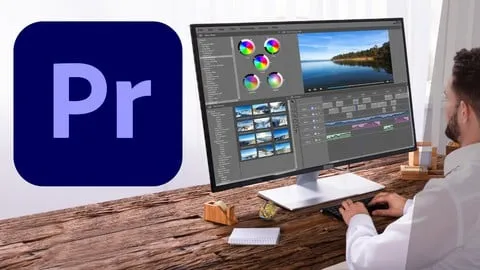
- Build cinematic video projects using Adobe Premiere Pro, taking your footage from raw clips to a polished final production.
- Implement advanced color adjustment and color correction techniques to ensure visual consistency across both photos and videos.
- Create dynamic text animations and professional end credits to increase the production value of your video content.
- Apply professional retouching and masking in Photoshop to remove unwanted objects and enhance portraits with precision.
- Execute complex video effects, including green screen removal and video blurring, to create high-end visual compositions.
- Understand the full editing workflow, from initial project setup and importing media to final rendering and exporting for different platforms.
- Develop a professional portfolio through project-based learning, applying theoretical knowledge to real-world graphic and video scenarios.
Course Details
- Instructor: Ben Kemp
- Rating: 4.3 stars (184,604 reviews)
- Level: Beginner
- Language: English
- Enrolled students: 184,604
- Certificate: Yes, upon completion
- Includes: Lifetime access, mobile-friendly content, and dedicated exercise files for practice
What This Course Covers
Adobe Premiere Pro Fundamentals
- Project Setup and Management: Learn how to properly configure your project settings and import various video clips for an organized workflow.
- Timeline Management: Master the art of multiple video placement and the use of the timeline to sequence your story effectively.
- Clip Organization: Understand how to unlink and nest clips to keep complex timelines manageable and streamlined.
- Media Handling: Gain proficiency in importing various file formats and preparing them for the editing process.
Advanced Video Editing Techniques
- Audio Optimization: Learn professional audio leveling and noise reduction to ensure your videos have crystal-clear sound quality.
- Visual Pacing: Master the speed of video adjustments, including slow motion and time-lapses, to create emotional impact.
- Transition Mastery: Implement seamless transitions between clips to maintain a professional flow and avoid jarring cuts.
- Text Integration: Learn how to add and style text overlays to convey information clearly to your audience.
Visual Effects and Cinematic Styling
- Chroma Keying: Master the process of removing green screens to place your subjects in any environment imaginable.
- Cinematic Effects: Apply professional color grading and cinematic effects to give your footage a "big screen" look and feel.
- Advanced Compositing: Learn how to place video inside text and use video blur effects for artistic and professional storytelling.
- Motion Graphics: Create engaging text animations and professional end credits to wrap up your video projects.
Adobe Photoshop Core Tools
- Layer Management: Understand the foundation of non-destructive editing using Photoshop layers for maximum flexibility.
- Color Theory and Adjustment: Learn to use color correction and adjustment layers to change the mood and tone of any image.
- Vector Elements: Master the use of shapes and symbols to create clean, scalable graphic elements for logos or social media.
- Selection Tools: Gain expertise in various selection methods to isolate subjects and edit specific parts of an image.
Professional Graphic Manipulation
- Content-Aware Fill: Use powerful AI-driven tools for cropping and removing unwanted elements from your photos seamlessly.
- Masking and Blending: Implement Photoshop masking and blending modes to merge multiple images into a single cohesive piece of art.
- Warp and Distort: Learn to use the transform, warp, and distort tools to reshape elements and create surreal visual effects.
- Clipping Masks: Master the use of clipping masks to fit images perfectly inside specific shapes or text.
Finishing and Exporting Graphics
- Advanced Retouching: Learn professional retouching techniques to clean up skin, remove blemishes, and enhance overall image quality.
- Styling and Effects: Apply gradient strokes, bevels, shadows, and visual style effects to make your graphics pop.
- Brush Customization: Use and customize Photoshop brushes to add hand-drawn elements or digital paintings to your work.
- Export Optimization: Understand the best export settings for different formats to ensure your graphics look great on web and print.
Who Should Take This Course
- Absolute Beginners: Individuals who have never opened Adobe Photoshop or Premiere Pro and need a step-by-step guide to get started.
- Aspiring Content Creators: Future YouTubers, TikTokers, and Instagram influencers who want to produce high-quality video and thumbnail content.
- Freelance Creatives: People looking to expand their service offerings by providing both graphic design and video editing packages to clients.
- Marketing Professionals: Social media managers and digital marketers who want to create their own visual assets without relying on external agencies.
- Students of Digital Art: Anyone pursuing a degree or certification in multimedia arts who needs a practical, project-based foundation.
Prerequisites
- No prior experience needed — this course is designed specifically for beginners and starts from the absolute basics.
- Software Access: A computer capable of running Adobe Photoshop and Adobe Premiere Pro (CC versions recommended).
- Basic Computer Literacy: Familiarity with downloading files and navigating a computer operating system.
Why Enroll in This Course
The synergy between graphic design and video editing is essential in the modern digital economy; knowing one without the other limits your creative potential. This course provides a rare "two-in-one" value proposition, allowing you to master the industry-standard Adobe suite in a single learning path. Because a free coupon is often available for a limited time, students can access this high-value training for 100% off, making it an unbeatable opportunity to acquire professional skills without financial risk. The project-based approach ensures that you aren't just watching videos, but actually building a portfolio that proves your competency to future employers.
Course Highlights
- Project-Based Learning: Every lesson is tied to a practical project, ensuring you can apply your skills to real-world scenarios immediately.
- Comprehensive Software Coverage: Instead of focusing on one tool, you get a full introduction to both Photoshop and Premiere Pro.
- Dedicated Exercise Files: The course includes downloadable practice files, so you can follow along with the instructor in real-time.
- Lifetime Access: Once enrolled, you have permanent access to all course materials, allowing you to learn at your own pace.
- Instructor Support: Ben Kemp provides a support system where students can ask questions and receive guidance on difficult concepts.
- Certificate of Completion: Earn a recognized certificate upon finishing the course to validate your skills on LinkedIn or your resume.
Frequently Asked Questions
Q: Is this course really free? A: Yes, this course is often available for free through limited-time coupons. When a 100% off coupon is active, you can enroll in the course and gain full access to all materials and the certificate at no cost.
Q: What will I learn in this graphics design and video editing course? A: You will learn the full spectrum of Adobe Photoshop and Adobe Premiere Pro. This includes everything from basic tool usage and layer management in Photoshop to advanced cinematic effects, green screen removal, and audio leveling in Premiere Pro.
Q: Do I get a certificate after completing this course? A: Yes, upon successfully completing all the lectures and requirements, you will receive a certificate of completion from Udemy. This can be added to your professional portfolio or shared on social media to showcase your new skills.
Q: Is this course suitable for absolute beginners? A: Absolutely. The course is specifically designed for those who have never used professional editing software. It starts with the basic interface and tools before moving into advanced techniques, making it perfect for someone with zero prior experience.
Q: How long do I have to enroll for free? A: Free coupons are typically available for a very short window of time and have a limited number of redemptions. It is highly recommended to enroll as soon as you find an active coupon to ensure you secure your spot.
Final Thoughts
The Graphics Design and Video Editing Course for Beginner is a powerful resource for anyone looking to enter the world of digital creation. By combining the power of Adobe Photoshop and Premiere Pro, this course equips you with the most in-demand skills in the creative industry. Whether you want to start a freelance business or enhance your current professional toolkit, enrolling in this comprehensive training is the best way to begin. Start your learning journey today and transform your creative ideas into professional reality.
Affiliate link — we may earn a commission
Affiliate link — we may earn a commission. Learn more