Complete Graphics Design Bootcamp Beginner to Advanced
Affiliate link — we may earn a commission. Learn more
Complete Graphics Design Bootcamp Beginner to Advanced: Master the Adobe Creative Suite
Looking for a high-quality free graphic design course to kickstart your creative career? The Complete Graphics Design Bootcamp Beginner to Advanced, taught by expert instructor Marcus Menti, is a comprehensive training program available on Udemy that provides a deep dive into the world's most powerful design tools. Updated August 2024, this course is designed for anyone who wants to learn graphic design online and gain professional-grade skills in image manipulation, vector illustration, and page layout. By completing this training, students can transition from absolute beginners to versatile digital artists capable of producing industry-standard visual content and earning a recognized certification.
What You'll Learn
- Master the full suite of tools and functions within Adobe Photoshop to create stunning digital art and photo manipulations.
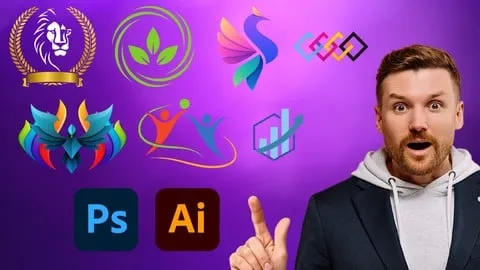
- Build professional vector graphics, logos, and intricate illustrations using Adobe Illustrator from the ground up.
- Create high-end print and digital layouts, including magazines, brochures, and e-books, utilizing Adobe InDesign.
- Implement advanced photo editing and color correction workflows in Adobe Lightroom to enhance professional photography.
- Analyze the relationship between typography, imagery, and layout to produce visually balanced and effective designs.
- Apply retouching, compositing, and masking techniques to transform ordinary photos into breathtaking works of art.
- Develop a comprehensive professional portfolio by working on real-world design projects and practical exercises.
- Understand the technical differences between raster and vector graphics and when to apply each for specific project goals.
Course Details
- Instructor: Marcus Menti
- Rating: 4.4 stars
- Level: Beginner to Advanced
- Language: English (en-US)
- Certificate: Yes, upon completion
- Includes: Lifetime access, mobile-friendly content, and self-paced learning modules
What This Course Covers
Adobe Photoshop Mastery
- Comprehensive exploration of the Photoshop interface and toolbars
- Advanced image editing techniques including retouching and compositing
- Deep dive into layers, masks, and filters for non-destructive editing
- Mastery of photo enhancement to bring creative visions to life
- Practical application of digital artistry for various commercial needs
Adobe Illustrator Essentials
- Introduction to vector graphics and the industry-standard Illustrator toolset
- Step-by-step creation of professional logos and corporate branding assets
- Advanced typography techniques for creating captivating visual compositions
- Development of a personal artistic style through intricate illustrations
- Working on real-world vector projects to build a professional design portfolio
Adobe InDesign for Professional Layouts
- Mastery of layout and typography tools for print and digital publishing
- Designing visually appealing brochures, magazines, and professional e-books
- Effective strategies for combining high-resolution text and imagery
- Management of multi-page documents and interactive digital elements
- Best practices for preparing files for professional printing and distribution
Adobe Lightroom Post-Processing
- Efficient organization and cataloging of large photographic libraries
- Precision fine-tuning of exposure, contrast, and color correction
- Creation of custom presets to streamline the editing workflow
- Advanced noise reduction and retouching techniques for high-end photography
- Batch processing workflows to ensure consistency across entire photo sets
Who Should Take This Course
- Absolute Beginners: Individuals who have never used design software but want to learn graphic design from scratch.
- Aspiring Freelancers: Those looking to offer a complete suite of design services, from logo creation to book layout.
- Photographers: Professionals or hobbyists who want to master post-processing in Lightroom and Photoshop.
- Marketing Professionals: Individuals who need to create their own social media assets, brochures, and digital advertisements.
- Career Switchers: People transitioning into digital arts or UI/UX roles who need a strong foundation in Adobe Creative Suite.
Prerequisites
- No prior experience in graphic design or Adobe software is needed — this course is beginner-friendly.
- Basic familiarity with operating a computer (Windows or macOS).
- A subscription or trial version of the Adobe Creative Cloud suite is recommended to follow along with the practical exercises.
Why Enroll in This Course
This bootcamp offers an unparalleled value proposition by combining four massive software tutorials into one single learning path. Instead of searching for separate tutorials, you get a unified curriculum that shows how Photoshop, Illustrator, InDesign, and Lightroom work together in a professional pipeline. For a limited time, you can access this training via a free coupon, allowing you to get the entire program 100% off. Given the current demand for digital content creators, mastering these tools now provides a significant competitive advantage in the job market.
Course Highlights
- Comprehensive Adobe Bundle: Learn four industry-leading tools in one single course rather than buying four separate programs.
- Project-Based Curriculum: Gain hands-on experience by working on practical exercises that mirror real-world client briefs.
- Self-Paced Learning: Study at your own speed with on-demand video content that fits into your personal schedule.
- Certification of Completion: Receive a certificate that validates your skills and can be added to your LinkedIn profile or resume.
- Lifetime Access: Once enrolled, you have permanent access to all course materials, including any future updates the instructor provides.
- Mobile-Friendly Design: Learn on the go using the Udemy mobile app, allowing you to watch lessons anywhere.
Frequently Asked Questions
Q: Is this course really free? A: Yes, this course is available for free when you use a valid limited-time coupon code. This allows you to access the full "Beginner to Advanced" curriculum without any upfront cost, provided the coupon is still active.
Q: What will I learn in this graphic design course? A: You will master the four pillars of the Adobe Creative Suite: Photoshop for image editing, Illustrator for vector art and logos, InDesign for professional layouts, and Lightroom for photo post-processing. The course takes you from the basic interface of each tool to advanced professional techniques.
Q: Do I get a certificate after completing this course? A: Yes, upon successfully completing all the lectures and requirements, you will receive a certificate of completion. This document serves as proof of your proficiency in the Adobe Creative Suite and can be shared with potential employers.
Q: Is this course suitable for beginners? A: Absolutely. The course is specifically designed to take students from a "Beginner" level to an "Advanced" level. It starts with the absolute basics of the tools, meaning you don't need any prior design knowledge to succeed.
Q: How long do I have to enroll for free? A: Free coupons for Udemy courses are typically available for a very limited time or for a limited number of students. It is highly recommended to enroll as soon as possible to secure your lifetime access before the promotion expires.
Final Thoughts
The Complete Graphics Design Bootcamp Beginner to Advanced is an essential resource for anyone serious about mastering the Adobe Creative Suite. By covering Photoshop, Illustrator, InDesign, and Lightroom, Marcus Menti provides a holistic education in graphic design that prepares you for the modern creative industry. Whether you are aiming for a new career or simply want to enhance your creative hobbies, this course is the perfect starting point for your journey into digital mastery.
Affiliate link — we may earn a commission
Affiliate link — we may earn a commission. Learn more