
The Complete Social Media Video Editing Masterclass
Sayman Creative Institute★4.2 rating
Get free coupon on Udemy
Affiliate link — we may earn a commission. Learn more
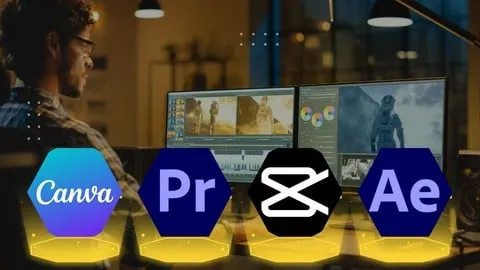
The Complete Social Media Video Editing Masterclass by Sayman Creative Institute offers a hands‑on Udemy experience that teaches you how to create scroll‑stopping videos for Instagram, TikTok, YouTube, and more. Updated July 2026, this free‑coupon‑enabled course covers Premiere Pro, After Effects, Canva, and CapCut, so you can edit professional‑quality clips on desktop or mobile. Learners walk away with practical storytelling skills, platform‑specific optimization techniques, and a certification that validates their new video‑editing expertise.
What You'll Learn
- Build polished social‑media videos from raw footage using Adobe Premiere Pro editing tools.
- Master motion‑graphics pipelines in After Effects to add eye‑catching animations and lower‑thirds.
- Learn to design branded intros and thumbnails with Canva’s drag‑and‑drop interface.
- Understand mobile‑first editing workflows in CapCut for rapid Instagram Reel production.
- Create platform‑optimized video formats for TikTok, Facebook, and YouTube Shorts.
- Implement storytelling structures that keep viewers engaged for the entire video length.
- Apply color‑grading and audio‑mixing techniques that elevate production quality.
- Analyze trending editing styles and replicate them using industry‑standard effects.
Course Details
- Instructor: Sayman Creative Institute
- Rating: 4.2 stars (based on student reviews)
- Language: English (en‑US)
- Certificate: Yes, upon completion
- Includes: Lifetime access, mobile‑friendly content, downloadable project files
What This Course Covers
Adobe Premiere Pro Fundamentals
- Importing, organizing, and trimming video clips for efficient timelines.
- Applying transitions, keyframes, and basic color correction to enhance visual flow.
- Syncing and mixing audio tracks, adding royalty‑free music, and mastering sound levels.
- Exporting videos in MP4, MOV, and platform‑specific presets for optimal playback.
After Effects Essentials
- Building dynamic motion graphics with shape layers and text animators.
- Creating lower‑thirds, captions, and kinetic typography for social feeds.
- Using pre‑compositions and expression controls to automate repetitive animations.
- Rendering final compositions with best‑practice export settings for fast upload.
Canva Visual Design for Video
- Designing eye‑catching thumbnails, intro screens, and outro slides without prior design experience.
- Integrating brand colors, fonts, and logos consistently across all video assets.
- Exporting transparent PNGs and animated GIFs for overlay use in Premiere Pro.
- Leveraging Canva templates to accelerate content creation for daily posting schedules.
CapCut Mobile Editing
- Cutting and rearranging clips directly on a smartphone for on‑the‑go production.
- Adding filters, stickers, and text overlays that match current TikTok trends.
- Exporting vertical video formats with correct aspect ratios for Reels and Shorts.
- Syncing CapCut projects with cloud storage for seamless desktop‑mobile workflow.
Social Media Storytelling & Platform Optimization
- Mapping narrative arcs that fit 15‑second to 3‑minute video lengths.
- Tailoring captions, hashtags, and call‑to‑actions for maximum algorithmic reach.
- Analyzing platform analytics to refine editing choices and boost engagement rates.
- Incorporating trending visual effects such as glitch, split‑screen, and speed‑ramp techniques.
Project‑Based Practice
- Producing a 30‑second promotional ad for a fictional product using all four tools.
- Crafting a step‑by‑step product explainer video that combines motion graphics and live footage.
- Building an Instagram Reel that demonstrates rapid editing shortcuts in CapCut.
- Receiving peer feedback through Udemy’s Q&A section to refine final project delivery.
Who Should Take This Course
- Beginners who have never opened a video‑editing program but want to start creating content immediately.
- Small‑business owners looking to produce marketing videos without hiring external agencies.
- Influencers and content creators aiming to boost follower engagement with high‑quality visuals.
- Marketing professionals who need to generate platform‑specific ads on tight deadlines.
- Freelance designers seeking to expand their service offering to include video production.
Prerequisites
- No prior experience needed — this course is beginner‑friendly and walks you through each tool step by step.
- A computer capable of running Adobe Premiere Pro and After Effects is recommended for desktop modules.
- Access to a smartphone or tablet for CapCut practice sessions is optional but enhances learning.
Why Enroll in This Course
Enroll now to claim the **free
Affiliate link — we may earn a commission
Get Coupon
Affiliate link — we may earn a commission. Learn more



