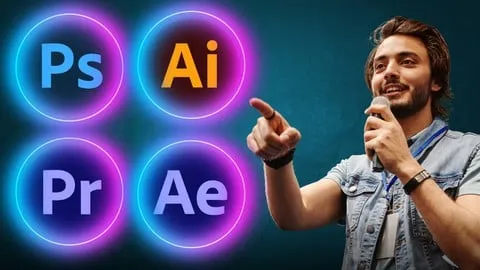
Complete Graphics Design and Video Editing MasterClass
Affiliate link — we may earn a commission. Learn more
Complete Graphics Design and Video Editing MasterClass Review
Looking for a comprehensive and free graphics design course to kickstart your creative career? The Complete Graphics Design and Video Editing MasterClass, taught by expert instructor Zechariah Tech, provides an all-in-one solution for those wanting to learn graphics design online. Available on Udemy and updated October 2024, this extensive training program bridges the gap between static visual design and dynamic video production. By mastering this curriculum, students gain the practical skills necessary to produce professional-grade marketing materials, cinematic videos, and high-end digital art, making it a powerhouse for aspiring freelancers and content creators.
What You'll Learn
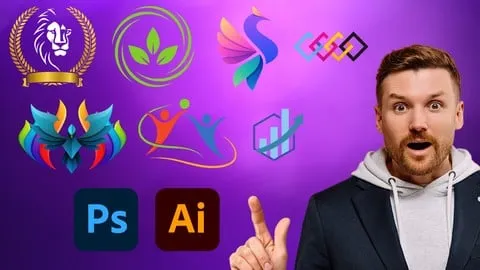
- Master image manipulation and high-end photo retouching using Adobe Photoshop to create captivating visual stories.
- Build scalable vector graphics, including professional logos, icons, and intricate patterns, using Adobe Illustrator.
- Create professional print and digital layouts for magazines, eBooks, and brochures through Adobe InDesign.
- Implement advanced color correction and raw image processing techniques within Adobe Lightroom for breathtaking photography.
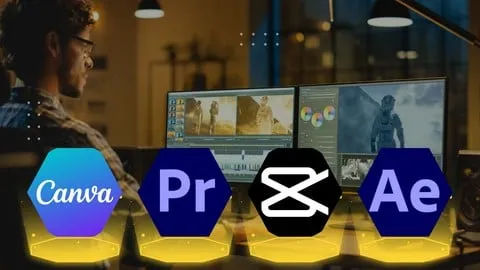
- Produce polished video content by mastering the art of cutting, trimming, and audio synchronization in Adobe Premiere Pro.
- Develop dynamic motion graphics and cinematic visual effects (VFX) to captivate audiences using Adobe After Effects.
- Apply narrative storytelling techniques using the user-friendly interface of Filmora for quick and effective video production.
- Analyze and execute professional color grading in DaVinci Resolve to achieve a consistent, cinematic aesthetic across video projects.
Course Details
- Instructor: Zechariah Tech
- Rating: 4.4 stars
- Enrolled students: 659,505
- Level: Beginner
- Language: English
- Certificate: Yes, upon completion
- Includes: Lifetime access, mobile-friendly content, and on-demand video lectures
What This Course Covers
Adobe Photoshop Mastery
- Fundamental use of tools and functions for image editing
- Advanced photo retouching and manipulation techniques
- Creating stunning visuals for social media and digital advertising
- Mastering the art of visual storytelling through composite imagery
Vector Art with Adobe Illustrator
- Understanding the core principles of vector graphics vs. raster images
- Designing professional logos and scalable brand icons
- Exploring typography and advanced shape manipulation
- Creating intricate patterns and illustrations for commercial use
Professional Layouts in Adobe InDesign
- Mastering page composition for multi-page documents
- Crafting layouts for digital eBooks and physical magazines
- Understanding typography and grid systems for professional printing
- Implementing interactive elements for digital publishing platforms
Photo Enhancement with Adobe Lightroom
- Efficient workflow for raw image processing and organization
- Applying global and local color corrections to enhance mood
- Using presets and manual adjustments for breathtaking photography
- Transforming basic shots into professional-grade artworks
Video Editing with Adobe Premiere Pro
- Essential techniques for cutting, trimming, and arranging raw footage
- Implementing seamless transitions and cinematic effects
- Mastering audio synchronization and sound design for polished videos
- Managing project timelines for efficient post-production workflows
Motion Graphics in Adobe After Effects
- Creating engaging motion graphics from static design elements
- Implementing visual effects (VFX) to add a cinematic dimension
- Developing complex animations that captivate modern audiences
- Integrating After Effects compositions into Premiere Pro projects
Narrative Storytelling with Filmora
- Utilizing a user-friendly interface for rapid video editing
- Enhancing videos with built-in effects and transitions
- Creating compelling narratives for vlogs and social media content
- Learning the basics of video editing without a steep learning curve
Cinematic Color Grading with DaVinci Resolve
- Understanding the science of color correction and grading
- Correcting color imbalances to ensure visual consistency
- Applying cinematic looks to elevate the production value of videos
- Using professional nodes and wheels for precise color control
Who Should Take This Course
- Absolute Beginners who want to enter the world of creative design and video production without prior experience.
- Aspiring Freelancers looking to offer a complete suite of design and editing services to a wide range of clients.
- Content Creators and YouTubers who want to improve their production quality through better graphics and professional editing.
- Marketing Professionals who need to create their own social media assets and promotional videos in-house.
- Graphic Designers who wish to expand their skillset into the realm of motion graphics and video editing.
Prerequisites
- No prior experience needed — this course is beginner-friendly and starts from the absolute basics.
- A computer or laptop capable of running the Adobe Creative Cloud suite and other video editing software.
- A basic understanding of how to navigate a computer operating system (Windows or macOS).
Why Enroll in This Course
The Complete Graphics Design and Video Editing MasterClass is an exceptional value because it consolidates eight different industry-standard tools into a single learning path. Instead of purchasing separate tutorials for Photoshop, Premiere Pro, or DaVinci Resolve, students get a holistic education in visual communication. For a limited time, a free coupon may be available, allowing users to enroll 100% off. This makes it the perfect opportunity to master a high-income skill set without any financial barrier. Given the current demand for digital content, having a certification that covers both static and moving visuals is a significant competitive advantage.
Course Highlights
- Comprehensive Toolset: Covers a massive array of software from Adobe, Filmora, and Blackmagic Design.
- Self-Paced Learning: The on-demand video format allows students to learn at their own speed.
- Beginner-to-Pro Path: Designed to take a student from zero knowledge to a functional professional level.
- Lifetime Access: Once enrolled, you have permanent access to all course materials and future updates.
- Certificate of Completion: Earn a recognized certificate to showcase your new skills on LinkedIn or your resume.
- Mobile-Friendly: Learn on the go using the Udemy app on any smartphone or tablet.
Frequently Asked Questions
Q: Is this course really free? A: Yes, this course is often available for free through limited-time coupons. When a 100% off coupon is active, you can enroll without paying any tuition fees and still receive full access to the materials.
Q: What will I learn in this graphics design and video editing course? A: You will learn a comprehensive suite of skills including photo manipulation in Photoshop, vector design in Illustrator, layout design in InDesign, and professional video editing in Premiere Pro, After Effects, Filmora, and DaVinci Resolve. It is a complete masterclass in visual content creation.
Q: Do I get a certificate after completing this course? A: Yes, upon completing all the lectures and requirements, you will receive a certificate of completion from Udemy. This certificate serves as proof of your proficiency in these creative tools.
Q: Is this course suitable for beginners? A: Absolutely. The course is specifically designed for beginners who have no previous experience in design or editing. The instructor, Zechariah Tech, guides you through the tools and functions from the ground up.
Q: How long do I have to enroll for free? A: Free coupons are typically available for a very limited time and have a maximum number of redemptions. It is highly recommended to enroll as soon as you find an active coupon to ensure you secure your spot.
Final Thoughts
The Complete Graphics Design and Video Editing MasterClass is a must-take for anyone serious about entering the creative industry. By combining the power of the Adobe Creative Cloud with specialized tools like DaVinci Resolve and Filmora, this course equips you with every tool needed to succeed in the modern digital economy. Whether you want to start a freelance business or enhance your corporate skill set, this graphics design and video editing training is the perfect starting point. Enroll today and begin transforming your creative visions into professional reality.
Affiliate link — we may earn a commission
Affiliate link — we may earn a commission. Learn more