Cómo Crear una Página Web con WordPress y Elementor PRO 2026
Affiliate link — we may earn a commission. Learn more
Cómo Crear una Página Web con WordPress y Elementor PRO 2026 Review
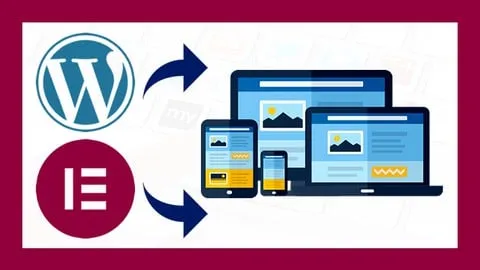
If you are searching for a free WordPress course to launch your online business, the course Cómo Crear una Página Web con WordPress y Elementor PRO 2026 by Renato Jesús Yacolca Neyra is an exceptional choice. Available as a comprehensive WordPress Udemy course, this training allows you to learn WordPress online and master the Elementor PRO page builder to create high-converting, professional websites. Updated for 2026, this course provides the practical skills needed to build a stunning digital presence without writing a single line of code, making it ideal for those seeking a certification in modern web design.
What You'll Learn
- Build professional, high-performance websites from scratch using the combination of WordPress and Elementor PRO.
- Master the process of selecting and obtaining a domain and hosting to ensure your website is accessible to a global audience.
- Implement a secure SSL certificate for your domain to protect user data and improve your search engine ranking.
- Create custom headers and footers using Elementor PRO to establish a unique brand identity and seamless site navigation.
- Design dynamic and interactive layouts by leveraging the advanced widgets available in the Elementor PRO library.
- Apply professional text animations to capture visitor attention and increase the time spent on your web pages.
- Develop high-quality image carousels to effectively showcase products, services, or a professional portfolio.
- Integrate Facebook widgets and social media tools to synchronize your social presence with your official website.
Course Details
- Instructor: Renato Jesús Yacolca Neyra
- Rating: 4.2 stars (246,289 enrollments)
- Level: Beginner
- Language: Spanish (es-LA)
- Enrolled students: 246,289
- Certificate: Yes, upon completion
- Includes: Lifetime access, mobile-friendly content, and practical project-based learning
What This Course Covers
Foundation and Setup
- Step-by-step guide to choosing the right domain name for your brand
- Evaluating and purchasing the best hosting services for WordPress performance
- Complete installation of the WordPress CMS on your server
- Configuring SSL certificates to ensure a secure "HTTPS" connection for all visitors
Elementor PRO Integration
- Process of acquiring and installing the Elementor PRO plugin
- Understanding the differences between the free version and the PRO version
- Navigating the drag-and-drop visual editor for real-time design
- Managing the Elementor dashboard and global site settings
Advanced Page Architecture
- Building customized navigation menus to improve user experience (UX)
- Designing professional footers that include essential contact and legal information
- Utilizing the Theme Builder to create templates for all site pages
- Organizing page structures for maximum readability and conversion
Visual Design and Interactivity
- Implementing a wide variety of Elementor PRO widgets for specific functions
- Creating engaging image carousels to highlight key business offerings
- Adding motion effects and text animations to create a modern feel
- Adjusting typography and color palettes to maintain brand consistency
Social Integration and Optimization
- Embedding Facebook widgets to drive social engagement directly on the page
- Configuring external links and call-to-action (CTA) buttons
- Optimizing the layout for different devices to ensure a responsive design
- Final testing of the website functionality before going live
Who Should Take This Course
- Aspiring Entrepreneurs who want to create a professional website from scratch to promote their new business venture.
- Beginner Developers who wish to learn how to use WordPress and Elementor PRO to offer web design services to clients.
- Small Business Owners looking to increase their sales and online visibility by building a high-quality landing page.
- Digital Marketers who need to quickly prototype and deploy professional websites without relying on a technical coding team.
- Creatives and Freelancers wanting to build a digital portfolio that showcases their work with a polished, professional look.
Prerequisites
- No prior experience needed — this course is beginner-friendly and starts from the absolute basics.
- A computer with a stable internet connection to access the WordPress dashboard and hosting panels.
- Basic familiarity with using a web browser and navigating the internet.
Why Enroll in This Course
This course offers a 100% practical approach, meaning you do not just watch videos, but actually build a real-world website as you progress through the lessons. With a free coupon available for a limited time, you can get 100% off and access a high-quality tutorial created by a renowned YouTube expert in SEO and digital marketing. Given the current digital landscape of 2026, having the ability to manage your own website without paying expensive monthly agency fees provides a massive competitive advantage. This training stands out because it focuses on the PRO version of Elementor, giving you access to tools that the free versions simply cannot provide.
Course Highlights
- Lifetime Access: Once enrolled, you have permanent access to all course materials and future updates.
- Self-Paced Learning: Study at your own speed, allowing you to pause and practice each step on your own website.
- Project-Based Curriculum: The entire course is designed around the creation of a live website, ensuring practical application.
- Professional Certification: Receive a certificate of completion to validate your skills in WordPress and Elementor PRO.
- Mobile-Friendly Content: Access the lectures from any device, making it easy to learn during your commute or break.
- Expert Guidance: Learn from Renato Yacolca, a specialist with a proven track record of teaching hundreds of thousands of students.
Frequently Asked Questions
Q: Is this course really free? A: Yes, this course is available for free when you use a valid limited-time coupon. Once you claim the offer, you get full access to all the professional content and the certificate without any hidden costs.
Q: What will I learn in this WordPress and Elementor course? A: You will learn the entire process of website creation, starting from buying a domain and hosting to installing WordPress and designing complex pages. The course specifically focuses on using Elementor PRO to create custom menus, footers, and interactive animations.
Q: Do I get a certificate after completing this course? A: Yes, upon completing all the video lessons and requirements, you will receive a certificate of completion from Udemy. This certificate can be added to your LinkedIn profile or resume to prove your web design capabilities.
Q: Is this course suitable for beginners with no coding knowledge? A: Absolutely. The course is specifically designed for people who are not experts in code or programming. It utilizes a visual "drag and drop" editor, meaning you can build a professional site simply by moving elements with your mouse.
Q: How long do I have to enroll for free? A: The free coupons are usually available for a very limited time or for a specific number of students. It is highly recommended to enroll immediately to secure your spot before the promotional period ends.
Final Thoughts
The Cómo Crear una Página Web con WordPress y Elementor PRO 2026 course is the perfect gateway for anyone wanting to master the most popular CMS in the world. By combining the power of WordPress with the flexibility of Elementor PRO, this training empowers you to turn a blank screen into a professional business asset. Whether you are an entrepreneur or a budding designer, this is the most efficient way to start your learning journey in web development.
Affiliate link — we may earn a commission
Affiliate link — we may earn a commission. Learn more