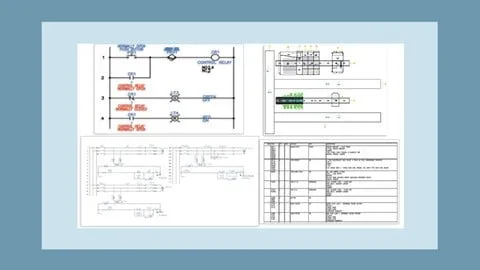
AutoCAD Electrical 2026: Tutorials, Exercises, and Projects
Affiliate link — we may earn a commission. Learn more
AutoCAD Electrical 2026: Tutorials, Exercises, and Projects
Looking for a free AutoCAD Electrical course to upgrade your design skills? The AutoCAD Electrical 2026: Tutorials, Exercises, and Projects course by CADCIM Technologies on Udemy provides a comprehensive path to learn AutoCAD Electrical online. Updated for 2026, this professional training focuses on automating control engineering tasks to help students and professionals create industry-standard electrical control drawings and technical documentation. By mastering this software, learners can significantly reduce manual drafting time while increasing the accuracy of their electrical schematics and panel layouts.
What You'll Learn
- Master the core functionality of the AutoCAD Electrical 2026 software suite to automate complex design tasks.
- Create professional-grade electrical control drawings that adhere to industry standards for power and control systems.
- Build intricate schematic drawings using the Circuit Builder tool to streamline the design process.
- Implement both parametric and non-parametric PLC modules to design complex Programmable Logic Controller I/O drawings.
- Develop detailed panel drawings and point-to-point wiring diagrams for real-world electrical installations.
- Analyze and generate automatic reports and bills of materials to ensure project accuracy and efficiency.
- Construct custom symbols and ladder diagrams tailored to specific project requirements in electrical engineering.
- Apply theoretical electrical knowledge to two practical, step-by-step projects that simulate professional design scenarios.
Course Details
- Instructor: CADCIM Technologies
- Rating: 4.2 stars
- Level: Beginner to Professional
- Language: English
- Certificate: Yes, upon completion
- Includes: 50 video lectures, self-evaluation tests, and practical exercises
What This Course Covers
Fundamentals of AutoCAD Electrical
- Introduction to the AutoCAD Electrical user interface and specialized toolsets
- Understanding the difference between standard AutoCAD and the Electrical toolset
- Navigating the project manager to organize multiple drawing files
- Setting up project properties for standardized electrical drafting
Schematic Design and Circuit Building
- Utilizing the Circuit Builder to automate the creation of common electrical circuits
- Designing ladder diagrams for control system logic
- Implementing automatic wire numbering to reduce manual entry errors
- Creating and modifying electrical schematic symbols for custom components
PLC Integration and I/O Drafting
- Designing parametric PLC modules for rapid hardware integration
- Creating non-parametric PLC modules for specialized equipment
- Generating PLC I/O drawings directly from spreadsheets for high-efficiency workflows
- Mapping I/O points to ensure correct connectivity between controllers and field devices
Panel Layouts and Physical Wiring
- Translating schematic designs into physical panel layouts
- Creating detailed panel drawings with accurate component footprints
- Drafting point-to-point wiring diagrams for installation guides
- Managing DIN rails and wire ducting within the panel design environment
Reporting and Project Documentation
- Generating automatic bills of materials (BOM) for procurement
- Creating wire lists and component lists to streamline assembly
- Using the report generator to audit project consistency
- Exporting project data for stakeholder review and manufacturing
Practical Application and Projects
- Step-by-step execution of the first practical electrical design project
- Comprehensive walkthrough of the second advanced project scenario
- Performing self-evaluation tests to verify software proficiency
- Applying exercises to reinforce the use of specialized Electrical tools
Who Should Take This Course
- Electrical Engineering Students pursuing a degree or diploma who need practical software skills for their portfolio.
- Professional Electrical Designers looking to transition from manual drafting to automated electrical design.
- Control Systems Engineers who want to master PLC I/O drawing and schematic automation.
- CAD Technicians seeking to specialize in the electrical vertical of the AutoCAD suite.
- Project Managers in the electrical field who need to understand the workflow of automated drawing generation.
Prerequisites
- No prior experience with AutoCAD Electrical is needed — this course is designed to take learners from the basics to advanced application.
- A basic understanding of electrical engineering principles (such as circuits and components) is recommended to get the most out of the exercises.
- Access to AutoCAD Electrical 2026 software is necessary to follow along with the tutorials and complete the projects.
Why Enroll in This Course
This course offers a structured, pedagogical approach to one of the most powerful tools in the electrical design industry. Unlike generic CAD tutorials, this program focuses specifically on the automation of control engineering, making it an essential resource for those wanting to increase their productivity. With a limited-time free coupon, students can access this high-value training 100% off, providing a risk-free opportunity to gain a professional certification. Given the sensitivity of free coupons, enrolling now ensures you secure lifetime access to the 2026 updated materials and practical projects.
Course Highlights
- Comprehensive Video Library: 50 organized video lectures provide a step-by-step learning path from basic to advanced.
- Hands-on Learning: Two complete practical projects ensure that theoretical knowledge is converted into usable professional skills.
- Validation Tools: Integrated self-evaluation tests and exercises allow learners to track their progress and identify gaps in knowledge.
- Professional Certification: A certificate of completion is provided, which can be added to a LinkedIn profile or resume to prove software proficiency.
- Industry-Standard Focus: The curriculum emphasizes real-world applications like PLC I/O and automatic report generation.
- Self-Paced Format: Learners can move through the modules at their own speed, making it ideal for working professionals.
Frequently Asked Questions
Q: Is this course really free? A: Yes, the course is available for free when using a valid limited-time coupon. Once you enroll using the free offer, you gain full access to all lectures and materials without any hidden costs.
Q: What will I learn in this AutoCAD Electrical course? A: You will learn how to create professional electrical control drawings, automate wire numbering, and design PLC I/O drawings. The course also covers the creation of panel layouts, ladder diagrams, and the automatic generation of bills of materials.
Q: Do I get a certificate after completing this course? A: Yes, upon successful completion of all the course modules and requirements, you will receive a certificate of completion. This serves as a formal acknowledgement of your skills in AutoCAD Electrical 2026.
Q: Is this course suitable for beginners? A: Absolutely. The course is designed with a pedagogical sequence that starts with the basics of the software interface and gradually moves toward complex projects. It is ideal for both students and professionals new to the Electrical toolset.
Q: How long do I have to enroll for free? A: Free coupons for Udemy courses are typically available for a very limited time and for a limited number of students. It is highly recommended to enroll as soon as possible to ensure you secure the 100% discount.
Final Thoughts
The AutoCAD Electrical 2026: Tutorials, Exercises, and Projects course is a powerhouse of technical training for anyone serious about electrical design. By combining theoretical instruction with two major practical projects, it bridges the gap between academic knowledge and industry requirements. Whether you are a student or a seasoned professional, mastering this topic will significantly enhance your career prospects in electrical engineering. Enroll today to start your journey toward becoming a certified AutoCAD Electrical expert.
Affiliate link — we may earn a commission
Affiliate link — we may earn a commission. Learn more
![[NEW] AWS Certified Data Engineer - Exam Preparation 2026 - Free IT & Software Course](/_image?href=https%3A%2F%2Fimg-c.udemycdn.com%2Fcourse%2F480x270%2F7407481_7a75.jpg&w=480&h=360&f=webp)