AutoCAD Electrical 2025: Tutorials, Exercises & Projects
Affiliate link — we may earn a commission. Learn more
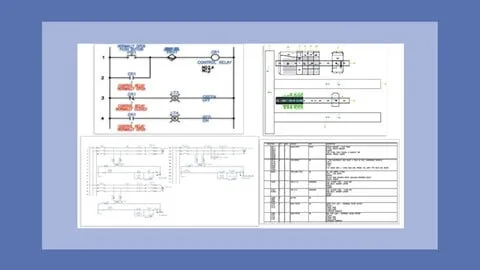
AutoCAD Electrical 2025: Tutorials, Exercises & Projects by CADCIM Technologies is a comprehensive Udemy course that teaches you how to create professional electrical control drawings using the latest AutoCAD Electrical 2025 software. Updated July 2026, this free‑coupon‑enabled training covers schematic creation, circuit building, panel layout, PLC module design, and automatic report generation. Whether you are an electrical engineering student or a practicing designer, the course equips you with practical, job‑ready skills and a Udemy‑issued certificate of completion.
What You'll Learn
- Build complete electrical control schematics in AutoCAD Electrical 2025 using built‑in libraries and custom symbols.
- Master the Circuit Builder tool to generate wiring diagrams, ladder logic, and PLC I/O layouts efficiently.
- Learn how to design accurate panel drawings, including non‑parametric and parametric PLC modules.
- Understand automatic wire numbering, tag generation, and report creation for large‑scale projects.
- Create point‑to‑point wiring diagrams and ladder diagrams that meet industry standards.
- Implement practical exercises and two end‑to‑end projects that simulate real‑world electrical engineering tasks.
- Apply best practices for drafting electrical schematics, panel layouts, and power‑plant diagrams.
- Analyze self‑evaluation tests to gauge mastery of AutoCAD Electrical features and workflows.
Course Details
- Instructor: CADCIM Technologies
- Rating: 4.3 stars (based on thousands of reviews)
- Language: English (en‑US)
- Enrolled students: 537,892
- Certificate: Yes, upon completion
- Includes: Lifetime access, step‑by‑step video tutorials, self‑evaluation tests, exercises, and two practical projects
What This Course Covers
1. Introduction & User Interface
- Overview of AutoCAD Electrical 2025 workspace, toolbars, and navigation panels.
- Customizing ribbons, palettes, and shortcut keys for faster drafting.
- Setting up project standards, templates, and library paths.
2. Schematic Drawing Fundamentals
- Creating and editing electrical schematic symbols and components.
- Using layers, line types, and annotation styles for clear documentation.
- Implementing wiring conventions, conduit symbols, and connection points.
3. Circuit Builder & PLC Modules
- Generating circuits automatically with the Circuit Builder wizard.
- Designing parametric and non‑parametric PLC I/O modules for control panels.
- Integrating ladder logic diagrams and PLC tag tables into schematics.
4. Panel & Layout Design
- Drafting detailed panel layouts, including front‑panel views and wiring harnesses.
- Applying panel‑specific tools such as wire routing, busbars, and terminal blocks.
- Conducting clash detection and design rule checks to ensure manufacturability.
5. Report Generation & Symbol Management
- Automating bill of materials, wire lists, and component reports.
- Creating custom symbols, updating libraries, and managing symbol attributes.
- Exporting reports to Excel and PDF for project documentation.
6. Practical Projects & Self‑Evaluation
- Building a complete control system project from concept to final drawing.
- Completing a second project focused on power‑plant layout and PLC integration.
- Taking self‑evaluation tests after each module to reinforce learning outcomes.
Who Should Take This Course
- Electrical engineering students seeking hands‑on AutoCAD Electrical experience.
- Recent graduates preparing for entry‑level control design positions.
- Professionals transitioning from manual drafting to automated electrical design.
- Designers who need to produce IEC‑compliant schematics and panel layouts.
- Engineers preparing for certification exams that include AutoCAD Electrical proficiency.
Prerequisites
- No prior experience needed — this course is beginner‑friendly and starts with the software basics.
- Basic understanding of electrical symbols and circuit theory is recommended but not required.
Why Enroll in This Course
This Udemy offering delivers a structured, tutorial‑based pathway to mastering AutoCAD Electrical 2025 without spending a dime, thanks to a limited‑time free coupon that provides 100 % off. The curriculum blends theory with two real‑world projects, ensuring you can apply skills immediately in the workplace. Compared with other training options, the course’s lifetime access and comprehensive self‑evaluation tests give you ongoing value long after completion.
Course Highlights
- Lifetime access to all video lectures, exercises, and project files.
- Self‑paced learning allows you to progress at a speed that fits your schedule.
- Certificate of completion that can be added to LinkedIn or a résumé.
- Practical projects simulate real engineering challenges for portfolio building.
- Mobile‑friendly content lets you review lessons on tablets or smartphones.
- 30‑day money‑back guarantee provides risk‑free enrollment if expectations are not met.
Frequently Asked Questions
Q: Is this course really free?
A: Yes, the course can be accessed at no cost when you apply the current Udemy free coupon, which offers a 100 % discount for a limited period. The free enrollment includes all video lectures, exercises, and the certificate of completion.
Q: What will I learn in this AutoCAD Electrical course?
A: You will learn to create detailed electrical schematics, use the Circuit Builder, design panel layouts, generate automatic reports, and complete two hands‑on projects that replicate industry workflows. The curriculum covers both basic drafting and advanced PLC module integration.
Q: Do I get a certificate after completing this course?
A: Yes, Udemy provides a digital Certificate of Completion once you finish all lectures, exercises, and the self‑evaluation tests. You can download the certificate and share it on professional networks.
Q: Is this course suitable for beginners?
A: Absolutely. The instructor starts with the software interface and fundamental drawing concepts, making the material accessible to students with little or no prior AutoCAD Electrical experience.
Q: How long do I have to enroll for free?
A: The free coupon is available for a limited time, typically a few weeks
Affiliate link — we may earn a commission
Affiliate link — we may earn a commission. Learn more