WDS: Создание и управление образами развертывания Windows
Affiliate link — we may earn a commission. Learn more
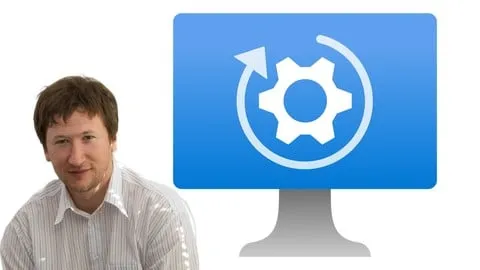
Looking for a free Windows Deployment Services course to automate your IT infrastructure? The WDS: Создание и управление образами развертывания Windows course, taught by expert instructor Vitalii Shumylo, offers a comprehensive deep dive into modern operating system deployment on Udemy. Updated for 2024, this training focuses on the critical skills needed to learn Windows deployment online, specifically targeting the automation of Windows 11 across corporate environments. By mastering these tools, IT professionals can eliminate manual installations and ensure consistent configuration across hundreds of workstations.
What You'll Learn
- Master the integration of Microsoft Deployment Toolkit (MDT) and Windows Deployment Services (WDS) to create a fully automated Windows 11 deployment pipeline.
- Build and optimize custom Windows 11 images that reduce installation time and eliminate unnecessary bloatware for corporate use.
- Create complex Task Sequences that automate the entire installation process, from disk partitioning to final software configuration.
- Implement automatic computer joining processes to integrate new machines into an Active Directory domain and specific Organizational Units (OU).
- Configure the Assessment and Deployment Kit (ADK) and Windows Pre-Installation Environment (WinPE) to boot machines over the network.
- Manage Deployment Shares efficiently to store, organize, and distribute OS images and drivers across a local area network.
- Analyze deployment logs and monitor the installation process to identify and resolve common deployment errors rapidly.
- Apply advanced troubleshooting techniques to ensure a seamless mass-deployment experience in large-scale enterprise environments.
Course Details
- Instructor: Vitalii Shumylo
- Rating: 5.0 stars
- Language: Russian (ru-RU)
- Level: Intermediate to Advanced
- Certificate: Yes, upon completion
- Includes: Lifetime access, mobile-friendly content, and access to exclusive templates
What This Course Covers
Foundation of Deployment Tools
- Installation and configuration of the Windows Assessment and Deployment Kit (ADK)
- Setting up the Windows Pre-Installation Environment (WinPE) for network booting
- Initializing the Microsoft Deployment Toolkit (MDT) environment
- Understanding the synergy between WDS and MDT for enterprise scaling
Image Customization and Optimization
- Creating gold images for Windows 11 using specialized capture tools
- Optimizing image size to reduce network congestion during deployment
- Managing driver packages for diverse hardware models
- Implementing image updates without needing to recapture the entire OS
Automation via Task Sequences
- Designing logical workflows within Task Sequences for zero-touch installation
- Automating the installation of core corporate software and applications
- Configuring custom scripts to handle specific hardware configurations
- Setting up automated partitioning and formatting of destination drives
Infrastructure and Network Deployment
- Configuring Windows Deployment Services (WDS) roles on Windows Server
- Setting up and managing Deployment Shares for centralized storage
- Optimizing PXE boot settings for faster client discovery
- Managing image distribution across different network segments
Enterprise Integration and Domain Management
- Automating the process of joining new workstations to an Active Directory domain
- Assigning computers to specific Organizational Units (OU) during deployment
- Implementing automated naming conventions for corporate assets
- Configuring group policy applications immediately after OS installation
Monitoring and Troubleshooting
- Using deployment logs to diagnose failed Task Sequences
- Solving common WinPE boot errors and network connectivity issues
- Performance tuning for mass-deployment scenarios
- Implementing quality assurance checks for deployed images
Who Should Take This Course
- System Administrators who want to stop manually installing Windows and move toward a fully automated, scalable infrastructure.
- IT Managers seeking to optimize the deployment lifecycle to reduce labor costs and deployment windows.
- Technical Support Specialists looking to upgrade their skill set from basic troubleshooting to advanced infrastructure administration.
- Software Deployment Engineers who require professional methods for mass-deploying Windows 11 in large corporate organizations.
- Windows Server Enthusiasts wanting to master the intersection of WDS, MDT, and Active Directory.
Prerequisites
- Basic knowledge of Windows Server administration is recommended to understand the hosting environment for WDS.
- Fundamental understanding of TCP/IP networking, including DHCP and DNS, as these are critical for PXE booting.
- Familiarity with Active Directory concepts, such as domains and Organizational Units.
- No prior experience with MDT or WDS is required, as the course covers these tools from the ground up.
Why Enroll in This Course
Moving from manual OS installation to automated deployment is the single most impactful change a system administrator can make to improve efficiency. This course provides a structured path to mastering the industry-standard tools provided by Microsoft. Because a free coupon is often available for a limited time, students can access this high-level training at 100% off, making it an incredible value proposition for career growth. This course stands out by focusing specifically on Windows 11 and providing the actual templates and blueprints needed for real-world implementation.
Course Highlights
- Professional Certification: Earn a certificate upon completion to validate your expertise in Windows deployment.
- Practical Focus: The curriculum is designed around real-world scenarios rather than just theoretical knowledge.
- Self-Paced Learning: Access all video content on your own schedule, allowing you to lab the configurations as you learn.
- Comprehensive Toolset: Covers the entire ecosystem from ADK and WinPE to WDS and MDT.
- Enterprise Ready: Teaches skills that are directly applicable to Fortune 500 IT environments.
- Lifetime Access: Once enrolled, you have permanent access to all updates and course materials.
Frequently Asked Questions
Q: Is this course really free? A: Yes, this course is often available for free through limited-time coupons. When a 100% off coupon is active, you can enroll without any cost and still receive full access to the materials.
Q: What will I learn in this Windows deployment course? A: You will learn how to use MDT and WDS to automate the installation of Windows 11. This includes creating custom images, designing automation task sequences, and integrating the process with Active Directory for corporate environments.
Q: Do I get a certificate after completing this course? A: Yes, upon completing all the modules and requirements, you will receive a certificate of completion from Udemy. This can be added to your LinkedIn profile or resume to demonstrate your technical proficiency.
Q: Is this course suitable for beginners? A: This course is best suited for those with a basic understanding of IT administration. While it teaches WDS and MDT from scratch, having a basic grasp of Windows Server and networking will make the learning process much smoother.
Q: How long do I have to enroll for free? A: Free coupons are typically time-sensitive and have a limited number of redemptions. It is recommended to enroll as soon as you find an active coupon to ensure you secure your lifetime access.
Final Thoughts
The WDS: Создание и управление образами развертывания Windows course is an essential resource for any IT professional looking to master the art of OS automation. By combining the power of MDT and WDS, you can transform a tedious, manual process into a streamlined, professional operation. Whether you are a junior admin or a seasoned engineer, enrolling in this Windows deployment training will provide you with the tools to manage enterprise infrastructure with confidence. Start your journey toward automation today and elevate your IT career.
Affiliate link — we may earn a commission
Affiliate link — we may earn a commission. Learn more