
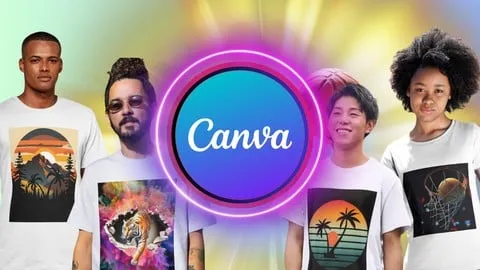
Ultimate Guide to Canva T-Shirt Design: Mastery in T-Shirt
Affiliate link — we may earn a commission. Learn more
Ultimate Guide to Canva T-Shirt Design: Mastery in T-Shirt Review
Looking for a free Canva T-shirt design course to kickstart your creative business? The Ultimate Guide to Canva T-Shirt Design: Mastery in T-Shirt by instructor James Joab Soren is a comprehensive Udemy course designed to help you learn T-shirt design online. Updated for 2024, this training focuses on transforming basic ideas into professional, print-ready apparel designs using one of the world's most popular design tools. By completing this course, students gain the practical skills needed to create marketable graphics, master typography, and prepare files for high-quality printing.
What You'll Learn
- Master the Canva Interface to efficiently navigate design tools and accelerate your t-shirt creation workflow.
- Apply Fundamental Design Principles including color theory and composition to create visually balanced and compelling apparel.
- Build High-Resolution Graphics by combining Canva’s element library, illustrations, and custom shapes for unique results.
- Implement Current T-Shirt Design Trends to ensure your creations align with modern market demands and consumer preferences.
- Develop Impactful Typography by selecting the right fonts and arranging text layouts that capture attention.
- Create Professional Mockups to realistically showcase how your designs look on different models and garment colors.
- Prepare Print-Ready Files by mastering resolution requirements, transparent backgrounds, and the correct export formats.
- Analyze Printing Services to find the best resources for turning your digital designs into physical, high-quality products.
Course Details
- Instructor: James Joab Soren
- Rating: 4.0 stars
- Level: Beginner
- Language: English
- Certificate: Yes, upon completion
- Includes: Lifetime access, mobile-friendly content, and self-paced learning
What This Course Covers
Canva Fundamentals and Interface
- Navigating the Canva workspace for apparel design
- Utilizing the toolbar and design shortcuts for efficiency
- Organizing design assets and folders for large projects
- Leveraging the Canva element library to find high-quality graphics
- Understanding the difference between free and pro design features
Core Design Principles for Apparel
- Mastering visual composition and layout for t-shirts
- Applying color theory to ensure designs pop on various fabric colors
- Exploring the psychology of color in apparel marketing
- Creating a clear visual hierarchy to guide the viewer's eye
- Balancing white space and graphic density for a professional look
T-Shirt Market Trends and Inspiration
- Identifying current trends in the t-shirt industry
- Conducting market research to find profitable niches
- Brainstorming unique concepts that stand out from competitors
- Adapting global design trends to specific target audiences
- Developing a signature style for your personal or business brand
Advanced Graphic and Text Creation
- Combining multiple design elements to create a cohesive image
- Working with typography to create bold, readable slogans
- Learning the art of font pairing for maximum aesthetic impact
- Utilizing frames and grids to organize complex design elements
- Creating custom graphics using Canva's drawing and shape tools
Mockup Magic and Presentation
- Using Canva's mockup tools to visualize the final product
- Placing designs on diverse models and realistic settings
- Creating high-conversion images for online store listings
- Testing design placement and sizing for different t-shirt styles
- Enhancing presentation quality to attract more potential customers
Technical Preparation for Printing
- Understanding DPI and resolution requirements for clear prints
- Mastering the use of transparent backgrounds for seamless printing
- Selecting the optimal file formats (PNG, PDF, JPG) for different printers
- Preparing files for various printing methods like DTG or Screen Printing
- Creating a technical checklist to avoid printing errors
Who Should Take This Course
- Complete Beginners who have no prior graphic design experience but want to create professional shirts.
- Aspiring Entrepreneurs looking to launch a Print-on-Demand (POD) business on platforms like Printful or Redbubble.
- Small Business Owners who want to design their own branded merchandise and staff uniforms in-house.
- Creative Hobbyists who enjoy designing custom apparel for friends, family, or personal use.
- Freelance Designers who want to expand their service offerings to include fast, high-quality apparel design.
Prerequisites
- No prior experience needed — this course is beginner-friendly.
- A basic computer, laptop, or tablet with a stable internet connection.
- A free or pro Canva account to follow along with the practical exercises.
Why Enroll in This Course
This course provides a streamlined path from a total beginner to a confident t-shirt designer without requiring expensive software like Adobe Illustrator. By focusing on Canva, the instructor makes the design process accessible to everyone, regardless of their technical background. Because a free coupon is often available for a limited time, you can potentially access this training 100% off, making it a risk-free investment in your creative skills. In the current e-commerce landscape, the ability to quickly produce high-quality designs is a significant competitive advantage for anyone entering the apparel market.
Course Highlights
- Lifetime Access: Once enrolled, you have permanent access to all videos and materials, allowing you to revisit lessons as you grow.
- Self-Paced Learning: The on-demand video format lets you learn at your own speed, fitting the course into your busy schedule.
- Certification of Completion: Earn a certificate that validates your proficiency in Canva t-shirt design for your portfolio.
- Practical Application: The course focuses on real-world outcomes, from the first sketch to a print-ready file.
- Mobile-Friendly Content: Access the course on any device, making it easy to learn and practice while on the go.
- Comprehensive Toolset: Covers everything from the basic interface to advanced mockup creation and printing technicals.
Frequently Asked Questions
Q: Is this course really free? A: Yes, this course is often available for free through limited-time promotional coupons. When these coupons are active, you can enroll in the full program at 100% off via the Udemy platform.
Q: What will I learn in this Canva t-shirt design course? A: You will learn the entire pipeline of apparel design, including using Canva's tools, applying design principles like color theory, following current trends, creating professional mockups, and preparing files specifically for high-quality printing.
Q: Do I get a certificate after completing this course? A: Yes, upon successfully completing all the modules and requirements of the course, Udemy provides a certificate of completion that you can share on LinkedIn or add to your professional resume.
Q: Is this course suitable for beginners? A: Absolutely. The course is specifically designed for individuals with no previous design experience. It starts with the basics of the Canva interface and gradually moves toward more advanced design and technical concepts.
Q: How long do I have to enroll for free? A: Free coupons are typically available for a very limited time and have a maximum number of redemptions. It is highly recommended to enroll as soon as you find the offer to ensure you secure your spot.
Final Thoughts
The Ultimate Guide to Canva T-Shirt Design: Mastery in T-Shirt is an essential resource for anyone wanting to enter the world of apparel design without a steep learning curve. By combining creative principles with the accessibility of Canva, this course empowers students to turn their imagination into a tangible business or hobby. Whether you are aiming to build a clothing brand or simply want to learn t-shirt design online, this course provides the perfect roadmap. Start your creative journey today and begin designing your first professional t-shirt!
Affiliate link — we may earn a commission
Affiliate link — we may earn a commission. Learn more



