
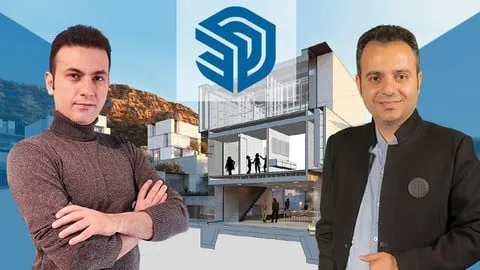
SketchUp Masterclass- for Architects and 3D Modelers
Affiliate link — we may earn a commission. Learn more
SketchUp Masterclass- for Architects and 3D Modelers Review
Looking for a free SketchUp course to elevate your architectural visualization skills? The SketchUp Masterclass- for Architects and 3D Modelers taught by Amir Karami • BIM is a comprehensive Udemy course designed to help you learn 3D modeling online. Updated for 2024, this training provides a project-based approach to mastering everything from basic geometry to advanced plugin-driven organic forms, ensuring you gain professional skills and a certification in design. This course is particularly valuable for those wanting to bridge the gap between simple sketching and high-end architectural production.
What You'll Learn
- Master precise architectural modeling using SketchUp drawing tools such as Line, Arc, Circle, and Rectangle to create accurate base plans.
- Build realistic 3D forms by implementing advanced voluming techniques including Push Pull, Follow Me, and Solid Tools.
- Create complex organic shapes and parametric structures using professional plugins like Curviloft, SubD, and Artisan.
- Develop professional architectural projects from scratch, including modern villas, urban benches, cottages, and hotel lobbies.
- Implement an efficient AutoCAD to SketchUp workflow to ensure accurate CAD-to-3D conversion for architectural blueprints.
- Analyze and control visualization features such as camera angles, shadows, styles, and section cuts for high-impact presentations.
- Design intricate modular facades and detailed interior spaces to enhance your professional design portfolio.
- Produce high-quality renders and motion animations to bring static architectural designs to life for clients.
Course Details
- Instructor: Amir Karami • BIM
- Rating: 4.5 stars
- Level: Beginner to Advanced
- Language: English
- Certificate: Yes, upon completion
- Includes: Lifetime access, mobile-friendly content, project-based curriculum
What This Course Covers
Foundational Drawing and Voluming
- Mastering the use of lines, arcs, and rectangles for architectural precision
- Implementing Push Pull and Follow Me tools to create 3D volume
- Utilizing Solid Tools for complex additive and subtractive modeling
- Understanding the relationship between 2D drafting and 3D extrusion
Transformation and Efficiency Workflow
- Efficient use of Move, Rotate, and Scale tools for rapid prototyping
- Organizing models using Groups and Components to maintain a clean workflow
- Applying accurate measurement tools and dimensions for construction-ready models
- Optimizing modeling speed through the use of shortcuts and component libraries
Advanced Plugins and Organic Modeling
- Utilizing Curviloft for creating smooth, curved architectural surfaces
- Mastering SubD and Artisan plugins for high-poly organic forms
- Implementing the Sandbox tool for terrain and site modeling
- Working with Dynamic Components to create interactive architectural elements
Real-World Architectural Projects
- Designing a complete modern villa from conceptual layout to 3D model
- Creating urban furniture and public space elements like urban benches
- Modeling detailed residential cottages and professional lobby interiors
- Developing complex architectural features including Muqarnas and classical facades
Professional Visualization and Rendering
- Controlling camera views and perspectives for architectural storytelling
- Setting up realistic shadows and lighting styles to simulate real-world environments
- Creating detailed section cuts to showcase interior architectural layouts
- Producing high-quality renders and section animations for client presentations
CAD Integration and Advanced Structures
- Establishing a seamless workflow for importing AutoCAD drawings into SketchUp
- Scaling and aligning CAD imports for maximum architectural accuracy
- Modeling large-scale infrastructure including highway interchanges and towers
- Developing modular facade systems for commercial building exteriors
Who Should Take This Course
- Architects who want to accelerate their 3D conceptualization and presentation process.
- Interior Designers looking to create detailed modular room layouts and realistic interior visualizations.
- 3D Modelers aspiring to master organic forms and complex geometry using advanced plugins.
- CG Artists and Exterior Designers aiming to build a professional-grade portfolio with real-world projects.
- Engineering Students transitioning into architectural visualization or BIM-related roles.
Prerequisites
- No prior experience needed — this course is beginner-friendly and starts from the absolute basics.
- A computer capable of running SketchUp and the mentioned third-party plugins is recommended.
- Basic familiarity with general computer navigation and file management is helpful.
Why Enroll in This Course
This masterclass bridges the gap between basic drawing and professional architectural production by focusing on project-based outcomes. Instead of learning tools in isolation, students apply every technique to real-world scenarios like villa design and facade detailing. For a limited time, students can access this training via a free coupon, allowing them to get the course 100% off. In the current 2024 job market, the ability to move quickly from a CAD drawing to a rendered 3D animation is a highly sought-after skill that sets designers apart from their competition.
Course Highlights
- Project-Based Learning: Every module culminates in a real-world project, ensuring practical application of skills.
- Advanced Plugin Integration: Moves beyond native tools to teach industry-standard plugins like Artisan and SubD.
- End-to-End Workflow: Covers the entire design pipeline from AutoCAD import to final animation.
- Professional Portfolio Building: Students complete multiple complex projects ready for a professional resume.
- Comprehensive Support: Access to instructor guidance helps learners overcome technical hurdles in 3D modeling.
- Flexible Learning Format: Self-paced video lessons allow professionals to learn around their existing work schedules.
Frequently Asked Questions
Q: Is this course really free? A: Yes, this course is available for free when you use a limited-time 100% off coupon. These coupons are typically released for a short window, so it is important to enroll as soon as the offer is available to secure lifetime access.
Q: What will I learn in this SketchUp course? A: You will learn everything from basic drawing tools and 3D voluming to advanced organic modeling using plugins. The course also covers how to import AutoCAD files, design complex architectural projects like villas and towers, and create professional animations and renders.
Q: Do I get a certificate after completing this course? A: Yes, upon completing all the video lessons and requirements, you will receive a certificate of completion from Udemy. This certificate can be added to your LinkedIn profile or professional portfolio to verify your skills in SketchUp.
Q: Is this course suitable for beginners? A: Absolutely. The curriculum is specifically designed to take a student from a total beginner level to an advanced professional level. It starts with the simplest drawing tools before progressing into complex plugins and architectural projects.
Q: How long do I have to enroll for free? A: Free coupon access is usually limited by a specific number of redemptions or a time limit. It is recommended to enroll immediately to ensure you don't miss the opportunity to get the full masterclass at no cost.
Final Thoughts
The SketchUp Masterclass- for Architects and 3D Modelers is an essential resource for anyone serious about mastering architectural visualization. By combining fundamental tools with high-end plugins and real-world projects, it provides a complete educational pathway for the SketchUp topic. Whether you are a student or a seasoned professional, this course will significantly enhance your design efficiency and portfolio quality. Start your learning journey today and transform your architectural concepts into stunning 3D realities.
Affiliate link — we may earn a commission
Affiliate link — we may earn a commission. Learn more



