
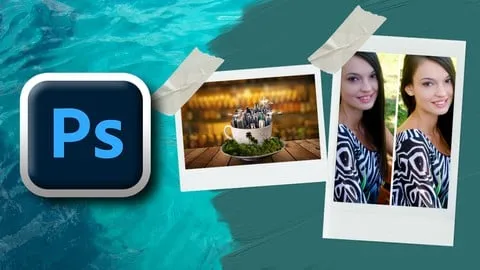
Creative Brilliance Project Based Professional Photoshop
Affiliate link — we may earn a commission. Learn more
Creative Brilliance Project Based Professional Photoshop Course Review
Looking for a free Photoshop course to jumpstart your design career? The Creative Brilliance Project Based Professional Photoshop course by Sayman Creative Institute is a comprehensive Udemy course designed to help you learn Photoshop online. Updated July 2024, this training focuses on project-based learning to ensure students master practical graphic design skills and photo manipulation techniques for professional certification. This course is an excellent resource for anyone wanting to transition from a beginner to a professional digital artist.
What You'll Learn
- Build professional poster designs from scratch using advanced Photoshop layout techniques
- Master the creation of glowing lines and neon light effects to add depth to digital images
- Create high-converting flyer designs and brochure layouts for commercial marketing purposes
- Implement professional logo design principles to create scalable brand identities
- Develop creative T-shirt designs and business cards ready for professional printing
- Apply complex photo manipulation techniques to blend multiple images into surreal scenes
- Create engaging social media post designs optimized for different platform dimensions
- Understand the dispersion effect to create artistic, shattering visuals in portraits
Course Details
- Instructor: Sayman Creative Institute
- Rating: 3.5 stars
- Level: Beginner to Professional
- Language: English
- Certificate: Yes, upon completion
- Includes: Lifetime access, mobile-friendly content
What This Course Covers
Foundations of Photoshop and Interface
- Navigating the Photoshop workspace and customizing toolbars for efficiency
- Understanding the primary toolset including selection tools and move tools
- Learning the basics of canvas setup and resolution for different project types
- Managing files and folders for a professional design workflow
Graphic Design for Print and Marketing
- Designing high-impact posters with a focus on visual hierarchy and composition
- Creating promotional flyers that balance text and imagery effectively
- Developing professional business cards with bleed and margin settings for print
- Building multi-page brochure designs for corporate and creative clients
Advanced Visual Effects and Lighting
- Mastering the neon light effect using blending modes and outer glow settings
- Creating realistic glowing lines to guide the viewer's eye through an image
- Applying the dispersion effect to create a dynamic, disintegrating aesthetic
- Utilizing artistic filters and textures to add mood and atmosphere to digital art
Branding and Digital Asset Creation
- Designing unique logos that represent brand identity through shape and color
- Creating T-shirt graphics optimized for screen printing and digital print-on-demand
- Crafting social media posts that capture attention in a crowded digital feed
- Implementing transparent text effects to create modern, overlapping typography
Professional Photo Manipulation
- Learning the art of compositing by blending multiple images seamlessly
- Using advanced retouching tools to remove imperfections and enhance subjects
- Applying color correction and grading to unify different elements in one scene
- Creating imaginative and surreal environments through creative manipulation
Layers, Masks, and Optimization
- Utilizing layers and masks for non-destructive editing to maintain project flexibility
- Mastering blending modes to integrate colors and textures naturally
- Understanding the difference between RGB and CMYK color modes for web and print
- Exporting final projects in the correct formats for maximum quality and performance
Who Should Take This Course
- Absolute beginners who want to learn the basics of Adobe Photoshop from the ground up
- Aspiring graphic designers looking to build a diverse portfolio of commercial projects
- Photographers who want to move beyond basic editing into advanced photo manipulation
- Social media managers needing to create high-quality visual content for brands
- Entrepreneurs who want to design their own logos, business cards, and marketing materials
Prerequisites
- No prior experience with graphic design software is needed — this course is beginner-friendly
- A computer with Adobe Photoshop installed is required to follow along with the projects
- A basic understanding of computer file management is recommended for saving project assets
Why Enroll in This Course
This course provides an immediate path to professional skills by focusing on real-world projects rather than just theoretical tool explanations. For a limited time, students can access this training via a free coupon, allowing them to get the entire curriculum at 100% off. Enrolling now ensures you gain access to a structured learning path that covers everything from basic interface navigation to complex digital art. Given the current demand for visual content, mastering these tools is a high-value investment in your creative career.
Course Highlights
- Project-Based Curriculum: You learn by doing, creating actual assets like logos and posters during the lessons.
- Comprehensive Scope: The course covers both digital marketing assets and traditional print design.
- Non-Destructive Workflow: Emphasis on layers and masks ensures you can edit your work without losing original data.
- Professional Certification: Receive a certificate upon completion to validate your Photoshop skills to employers.
- Self-Paced Learning: Study at your own speed with lifetime access to all video lectures and materials.
- Versatile Application: Skills learned apply to freelance work, corporate design roles, or personal creative projects.
Frequently Asked Questions
Q: Is this course really free? A: Yes, this course is available for free when you use a valid limited-time coupon. This allows students to access the full professional Photoshop training without any upfront cost.
Q: What will I learn in this Photoshop course? A: You will learn how to create a wide variety of design assets, including posters, logos, and T-shirts. Additionally, the course covers advanced techniques like photo manipulation, neon effects, and professional color correction.
Q: Do I get a certificate after completing this course? A: Yes, upon successful completion of all the course modules, you will receive a certificate. This document can be added to your LinkedIn profile or portfolio to showcase your proficiency in Adobe Photoshop.
Q: Is this course suitable for beginners? A: Absolutely. The curriculum starts with the foundations of the Photoshop interface and tools, making it accessible for those who have never opened the software before.
Q: How long do I have to enroll for free? A: The free access is typically provided through limited-time coupons which can expire quickly. It is recommended to enroll as soon as possible to secure lifetime access to the materials.
Final Thoughts
The Creative Brilliance Project Based Professional Photoshop course is an ideal starting point for anyone eager to master the world's most popular design software. By combining technical tool training with practical project creation, it bridges the gap between knowing the software and being a designer. Whether you want to start a freelance business or enhance your professional skill set, this Photoshop training provides the necessary tools to succeed. Start your creative journey today and turn your artistic vision into a professional reality.
Affiliate link — we may earn a commission
Affiliate link — we may earn a commission. Learn more



