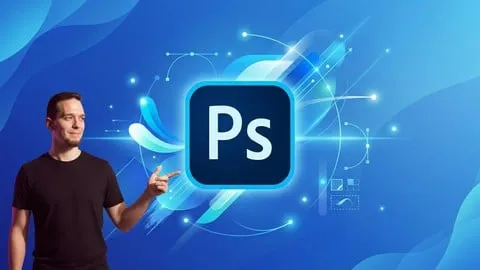
Photoshop CC: De Principiante a Diseñador
Affiliate link — we may earn a commission. Learn more
Photoshop CC: De Principiante a Diseñador Course Review
Looking for a high-quality free Photoshop course to jumpstart your creative career? The Photoshop CC: De Principiante a Diseñador course, taught by expert instructor Carlos Federico Audisio, is a comprehensive Udemy course designed to help you learn Photoshop online from the ground up. Updated July 2024, this professional training is perfect for anyone wanting to master image editing, digital composition, and graphic design to create stunning visual content for clients or social media.
What You'll Learn
- Master the entire Photoshop CC interface and primary toolsets from a total beginner level.
- Create professional-grade photo composites and digital montages by seamlessly blending multiple images.
- Apply advanced lighting, color correction, and editing techniques to enhance the quality of any photograph.
- Implement a non-destructive workflow using layers, selections, and masking for precise control over your designs.
- Develop high-impact visual styles, including neon effects, depth-of-field blurs, and professional color grading.
- Analyze resolution and color settings to ensure your designs look perfect across different digital and print mediums.
- Build a professional portfolio by completing real-world project simulations that mimic actual client interactions.
- Export final assets optimized specifically for web use, social media platforms, and commercial printing.
Course Details
- Instructor: Carlos Federico Audisio
- Rating: 5.0 stars
- Level: Beginner
- Language: Spanish (Latin America)
- Enrolled students: 12,098
- Certificate: Yes, upon completion
- Includes: Lifetime access, mobile-friendly content, and practical project files
What This Course Covers
Photoshop Fundamentals
- Comprehensive walkthrough of the Photoshop CC user interface
- Configuring color modes and resolution for different project types
- Organizing and customizing panels for an efficient workflow
- Navigating the canvas and mastering basic zoom and pan shortcuts
Image Editing and Correction
- Working with layers to organize complex design elements
- Mastering the art of precise selections and masking techniques
- Applying professional color correction to fix lighting and tone
- Implementing non-destructive editing to preserve original image data
Photo Manipulation and Visual Composition
- Techniques for integrating multiple images into a single coherent scene
- Adding and styling typography to complement visual compositions
- Applying filters and special effects like glows and neon lights
- Creating realistic depth and perspective within a digital montage
Real-World Client Simulations
- Roleplaying as a professional designer handling specific client briefs
- Translating client requirements into a finished visual product
- Developing a workflow that balances creativity with professional deadlines
- Creating portfolio-ready pieces based on industry-standard requests
Professional Exporting and Delivery
- Choosing the right file formats for web and digital screens
- Optimizing image size and quality for social media platforms
- Preparing high-resolution files for physical commercial printing
- Managing asset folders for professional project delivery
Who Should Take This Course
- Complete Beginners: Individuals with zero prior experience in graphic design who want to learn Photoshop from scratch.
- Aspiring Graphic Designers: Students looking to transition into a professional design career by mastering industry-standard software.
- Content Creators and Influencers: People who need to create eye-catching thumbnails, posts, and stories for their social media presence.
- Entrepreneurs: Small business owners who want to handle their own basic branding and promotional imagery in-house.
- Visual Artists: Hobbyists interested in the art of photo manipulation, surreal digital art, and complex image blending.
Prerequisites
- No prior experience needed — this course is beginner-friendly and starts with the absolute basics.
- A computer with a compatible version of Photoshop CC installed is required to follow the practical exercises.
- A basic understanding of how to navigate a computer operating system (Windows or macOS).
Why Enroll in This Course
This course provides an exceptional value proposition for anyone who finds the Adobe Creative Cloud ecosystem intimidating. While many tutorials focus on a single tool, this training bridges the gap between knowing how a tool works and knowing how to use it as a professional designer. By offering a limited-time free coupon, students can access this high-level training with a 100% off discount, making professional design education accessible to everyone. The inclusion of client simulations makes it stand out from other alternatives, as it teaches you not just the software, but the business of being a designer.
Course Highlights
- Comprehensive Path: Takes students from "zero" to a "designer" level through a structured curriculum.
- Practical Focus: Emphasizes "learning by doing" with projects that can be used in a real portfolio.
- Lifetime Access: Once enrolled, you have permanent access to all videos and updates.
- Professional Certification: Receive a certificate of completion to validate your skills to potential employers.
- Non-Destructive Methodology: Teaches industry-best practices that allow for easy revisions and professional flexibility.
- Self-Paced Learning: Study at your own speed, making it ideal for those balancing work or school.
Frequently Asked Questions
Q: Is this course really free? A: Yes, this course is available for free when you use a valid free coupon during the checkout process on Udemy. These coupons are typically offered for a limited time, so it is important to enroll quickly to secure your spot at 100% off.
Q: What will I learn in this Photoshop CC course? A: You will learn everything from the basic interface and tool settings to advanced photo manipulation and client management. The course covers layers, masks, color correction, neon effects, and the professional process of exporting files for print and web.
Q: Do I get a certificate after completing this course? A: Yes, upon completing all the lectures and requirements, Udemy provides a certificate of completion. This certificate can be added to your LinkedIn profile or resume to showcase your proficiency in Photoshop CC.
Q: Is this course suitable for beginners? A: Absolutely. The instructor specifically designed this curriculum for people with no prior design experience. It starts with the most basic fundamentals before gradually moving into complex professional techniques.
Q: How long do I have to enroll for free? A: Free coupons for Udemy courses are usually time-sensitive and have a limited number of redemptions. It is recommended to enroll as soon as possible to ensure you get the free access before the coupon expires.
Final Thoughts
If you are looking to master the world's most powerful image editing software, Photoshop CC: De Principiante a Diseñador is an outstanding choice. Whether you are an aspiring professional or a content creator, this course provides the technical skills and practical experience needed to produce high-end visual work. Enroll today and start your journey toward becoming a confident and skilled graphic designer.
Affiliate link — we may earn a commission
Affiliate link — we may earn a commission. Learn more