Mobile App Design in Figma: From Concept to Prototype
Affiliate link — we may earn a commission. Learn more
Mobile App Design in Figma: From Concept to Prototype Course Review
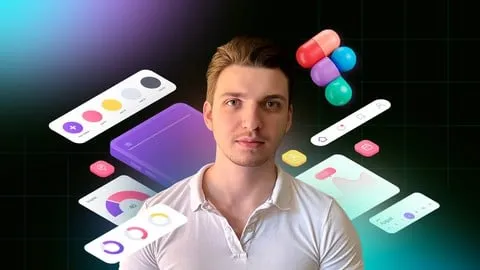
Looking for a free mobile app design course to kickstart your career in UI/UX? The Mobile App Design in Figma: From Concept to Prototype course, taught by Anton Voroniuk, is a comprehensive Udemy course designed to help you learn mobile app design online. Updated for 2024, this training provides a practical path to mastering Figma, enabling students to transform raw ideas into professional, interactive prototypes. By completing this course, you will gain the technical skills required to design high-fidelity interfaces for both iOS and Android platforms.
What You'll Learn
- Master Figma tools to efficiently manage and execute various mobile design projects from start to finish.
- Analyze mobile app structures to understand the underlying logic of successful user interfaces and navigation patterns.
- Automate your design workflow using advanced Figma features to reduce repetitive tasks and increase productivity.
- Differentiate between iOS and Android design guidelines to create platform-specific experiences that feel native to the user.
- Create professional moodboards to establish a visual direction and maintain aesthetic consistency throughout your project.
- Implement a working design system to ensure scalability and ease of updates across multiple app screens.
- Build detailed wireframes and import them into Figma to map out the user journey before adding visual polish.
- Develop interactive prototypes that simulate a real app experience for testing and stakeholder presentations.
Course Details
- Instructor: Anton Voroniuk
- Rating: 4.5 stars
- Level: Beginner to Intermediate
- Language: English
- Certificate: Yes, upon completion
- Includes: Lifetime access, mobile-friendly content, and structured practical exercises
What This Course Covers
Figma Fundamentals and Setup
- Understanding the browser-based nature of Figma for cross-platform accessibility
- Navigating the Figma interface and toolbars for efficient designing
- Setting up your first project file with a proper organizational structure
- Leveraging the free version of Figma to build a professional portfolio
Mobile Design Strategy and Research
- Studying how modern mobile applications are structured for optimal usability
- Creating moodboards to collect inspiration and define the visual language
- Analyzing the psychological impact of colors and typography in mobile interfaces
- Researching competitors to identify common design patterns and user expectations
Platform-Specific Design Guidelines
- Exploring the core differences between Apple's Human Interface Guidelines (iOS) and Google's Material Design (Android)
- Applying platform-specific navigation patterns and gesture controls
- Designing buttons, icons, and input fields that align with OS standards
- Adapting layouts to fit various screen sizes and aspect ratios across different devices
Wireframing and User Flow
- Crafting low-fidelity wireframes to define the structural skeleton of the app
- Importing external sketches and wireframes into Figma for digital refinement
- Mapping out user flows to ensure a seamless transition between different app screens
- Organizing project pages to keep track of various design iterations and versions
Design Systems and Automation
- Building a reusable library of components to maintain visual consistency
- Creating a design system that includes defined color palettes and typography styles
- Using Figma's automation tools to speed up the design process
- Managing global styles to make project-wide changes in a matter of seconds
Interactive Prototyping
- Connecting screens using Figma's prototyping tools to create a clickable flow
- Implementing transitions and animations to mimic real-world app behavior
- Testing the prototype on mobile devices for real-time usability feedback
- Preparing the final prototype for hand-off to developers or clients
Who Should Take This Course
- Beginner Designers who have little to no prior experience in UI/UX but want to build a professional portfolio.
- Online Marketers and Social Media Creators who need to create high-quality visuals and simple app mockups quickly.
- Experienced Designers looking to transition from other software to Figma or expand their mobile design knowledge.
- Entrepreneurs and Product Managers who want to design their own app concepts before hiring a development team.
- Freelancers wanting to offer mobile app prototyping as a high-value service to their existing clients.
Prerequisites
- No prior design experience is needed — this course is beginner-friendly and starts from the basics.
- A computer with a modern web browser (Chrome, Firefox, or Safari) to run Figma.
- A stable internet connection to access the web-based design tools and course videos.
- A willingness to practice the exercises to build muscle memory within the software.
Why Enroll in This Course
This course offers an exceptional value proposition for anyone looking to enter the competitive field of UI/UX design. By utilizing a free coupon, you can access professional-grade training at 100% off for a limited time. Given the current demand for Figma skills in the tech industry, this is a strategic opportunity to gain a marketable skill without financial risk. Unlike theoretical courses, this program focuses on a "concept to prototype" pipeline, ensuring you have a tangible project to show potential employers.
Course Highlights
- End-to-End Project Workflow: You don't just learn tools; you design a complete mobile app from the first sketch to the final prototype.
- Platform Versatility: The course covers both iOS and Android, making you a versatile designer capable of handling any project.
- Expert Guidance: Learn from the perspective of a professional UI/UX designer with years of industry experience.
- Lifetime Access: Once enrolled, you have permanent access to all lessons and future updates, allowing you to learn at your own pace.
- Certification of Completion: Receive a recognized Udemy certificate that validates your skills in mobile app design and Figma.
- Practical Focus: The curriculum is built around recorded lessons and practical exercises rather than long, dry lectures.
Frequently Asked Questions
Q: Is this course really free? A: Yes, this course is available for free when you use a valid limited-time coupon. Once you enroll using the 100% off offer, you gain full access to all the course materials and the completion certificate.
Q: What will I learn in this mobile app design course? A: You will learn the entire mobile design process, starting from moodboarding and wireframing to creating a full design system and an interactive prototype. You will also learn the specific technical differences between designing for Android and iOS devices.
Q: Do I get a certificate after completing this course? A: Yes, upon finishing all the video lessons and requirements, you will receive a certificate of completion from Udemy. This certificate can be added to your LinkedIn profile or resume to showcase your Figma proficiency.
Q: Is this course suitable for absolute beginners? A: Absolutely. The course is specifically designed for those without strong design experience. It starts with the basics of the Figma interface and gradually moves toward more complex topics like design systems and prototyping.
Q: How long do I have to enroll for free? A: Free coupons for Udemy courses are usually limited by time or the number of redemptions. It is highly recommended to enroll as soon as possible to secure your lifetime access before the promotion expires.
Final Thoughts
The Mobile App Design in Figma: From Concept to Prototype course is an ideal entry point for anyone eager to master the art of mobile interfaces. By combining technical tool mastery with fundamental design principles, Anton Voroniuk provides a roadmap for creating professional, user-centric applications. Whether you are a budding designer or a marketer looking to upgrade your skill set, this course provides everything you need to start your creative journey today.
Affiliate link — we may earn a commission
Affiliate link — we may earn a commission. Learn more