Microsoft Office All-in-One: Excel, Word and PowerPoint
Affiliate link — we may earn a commission. Learn more
Microsoft Office All-in-One: Excel, Word and PowerPoint Review
Looking for a comprehensive and free Microsoft Office course to boost your professional productivity? The Microsoft Office All-in-One: Excel, Word and PowerPoint course by Logic Labs on Udemy is an ideal choice for those wanting to learn Microsoft Office online. Updated for 2024, this training provides a streamlined path to mastering the three most essential productivity tools used in modern workplaces, ensuring students gain job-ready skills and a recognized certification.
What You'll Learn
- Master the core functionalities of Microsoft Excel, Word, and PowerPoint to streamline your daily office workflows.
- Build complex spreadsheets using logical functions such as AND, OR, NOT, and XOR to automate data decision-making.
- Create professional-grade business documents, resumes, and official reports using advanced formatting in Microsoft Word.
- Implement powerful lookup functions, including VLOOKUP, HLOOKUP, and XLOOKUP, to manage and retrieve data from large datasets efficiently.
- Design high-impact visual presentations in PowerPoint utilizing professional slide structures, animations, and transitions.
- Analyze quantitative data by creating dynamic Pivot Tables and a variety of charts, including Line, Pie, Column, and Scatter plots.
- Apply advanced mathematical and date functions like SUMIFS, ROUNDUP, and EOMONTH to handle complex financial and scheduling tasks.
- Understand how to import external data from the web and text files to maintain updated and accurate spreadsheets.
Course Details
- Instructor: Logic Labs
- Rating: 4.2 stars
- Level: Beginner
- Language: English
- Certificate: Yes, upon completion
- Includes: Lifetime access, mobile-friendly content
What This Course Covers
Microsoft Excel: Foundations and Data Management
- Navigating the Tabs and Ribbon interface for maximum efficiency
- Creating and organizing new worksheets to categorize project data
- Implementing "Freeze Panes" to maintain visibility of headers in large datasets
- Techniques for entering and organizing raw data for business reporting
- Importing external data from web sources and text files into Excel
Advanced Excel Formulas and Functions
- Utilizing Logical Functions (AND, OR, NOT, XOR) for conditional data analysis
- Mastering SUM variations including SUMIF, SUMIFS, and SUMPRODUCT for targeted calculations
- Applying Rounding functions such as ROUND, ROUNDUP, ROUNDDOWN, and MROUND
- Implementing Average, MAX, and MIN functions to determine data trends
- Using TODAY and NOW functions to create time-sensitive spreadsheets
Data Lookup and Complex Analysis
- Mastering the VLOOKUP function for vertical data retrieval
- Utilizing HLOOKUP for horizontal data searches across rows
- Implementing XLOOKUP for a more flexible and powerful search experience
- Building Pivot Tables to summarize thousands of rows of data into actionable insights
- Working with DATE functions including DATEIF, EDATE, and EOMONTH for project timelines
Visualizing Data with Charts and Graphs
- Creating Line charts to track trends over a specific period
- Building Pie charts to visualize proportions and percentages
- Developing Column and Bar charts for side-by-side data comparisons
- Implementing Scatter plots to identify correlations between variables
- Formatting chart elements to ensure professional presentation in reports
Microsoft Word for Professional Documentation
- Formatting professional documents, reports, and official business letters
- Designing high-quality resumes and CVs that pass through screening filters
- Mastering styles and layouts to maintain consistency across long documents
- Utilizing tables, headers, and footers for structured document organization
- Creating clean, professional results through advanced page setup and organization
Microsoft PowerPoint for Impactful Presentations
- Designing visually appealing slide decks for business and academic use
- Structuring presentations to deliver information clearly and persuasively
- Using animations and transitions to engage audiences without distracting them
- Inserting charts, images, and visuals to support key data points
- Best practices for presenting information during meetings and corporate classes
Who Should Take This Course
- Complete Beginners: Individuals with no prior experience who want to learn Microsoft Office from scratch.
- Office Professionals: Administrative assistants and managers looking to improve their daily productivity and speed.
- Students: Academic learners preparing for college projects or seeking to improve their career readiness.
- Job Seekers: Candidates wanting to strengthen their resumes by adding certified proficiency in Word, Excel, and PowerPoint.
- Entrepreneurs: Small business owners who need to manage their own budgeting, reporting, and client presentations.
Prerequisites
- No prior experience needed — this course is beginner-friendly.
- A computer with Microsoft Office (Word, Excel, and PowerPoint) installed is highly recommended for following along with the practical exercises.
- Basic familiarity with using a mouse and keyboard.
Why Enroll in This Course
This all-in-one bundle provides an incredible value proposition by combining three separate software tutorials into a single learning path. Instead of purchasing three different courses, you gain a cohesive understanding of how these tools integrate in a professional environment. For a limited time, a free coupon is available, allowing eligible students to enroll 100% off. Taking advantage of this limited-time offer allows you to acquire high-demand corporate skills without any financial investment.
Course Highlights
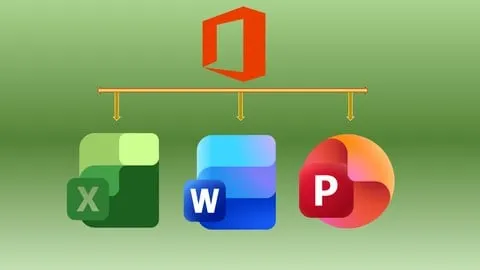
- Comprehensive Three-in-One Bundle: Covers the entire primary Microsoft Office suite in one place.
- Lifetime Access: Once enrolled, you have permanent access to all video lectures and materials.
- Practical, Hands-on Approach: Focuses on real-world scenarios like budgeting and reporting rather than just theory.
- Self-Paced Learning: Students can move through the modules at their own speed, making it ideal for working professionals.
- Certification of Completion: Receive a certificate that can be added to LinkedIn or a resume to prove skill proficiency.
- Mobile-Friendly Content: Learn on the go via the Udemy mobile app.
Frequently Asked Questions
Q: Is this course really free? A: Yes, this course is available for free when you use a valid free coupon. These coupons are typically offered for a limited time to help new learners get started with the platform, allowing you to access the full curriculum at 100% off.
Q: What will I learn in this Microsoft Office course? A: You will gain a complete mastery of Microsoft Word, Excel, and PowerPoint. This includes everything from basic document formatting and slide design to advanced Excel functions like XLOOKUP, Pivot Tables, and complex logical formulas.
Q: Do I get a certificate after completing this course? A: Yes, upon completing all the video lessons and requirements, you will receive a certificate of completion from Udemy. This certificate serves as proof of your skills in office productivity and can be shared with potential employers.
Q: Is this course suitable for beginners? A: Absolutely. The course is specifically designed for those with zero prior experience, starting with the absolute basics of the interface and gradually moving toward advanced professional techniques.
Q: How long do I have to enroll for free? A: Free coupons are usually time-sensitive and may expire after a few days or once a certain number of redemptions are reached. It is recommended to enroll as soon as possible to secure your lifetime access to the materials.
Final Thoughts
The Microsoft Office All-in-One: Excel, Word and PowerPoint course is a powerhouse of productivity training that bridges the gap between basic knowledge and professional proficiency. Whether you are a student or a seasoned professional, mastering these tools is essential for success in almost any corporate role. Enroll today to start your journey toward becoming a Microsoft Office expert and unlock new career opportunities.
Affiliate link — we may earn a commission
Affiliate link — we may earn a commission. Learn more