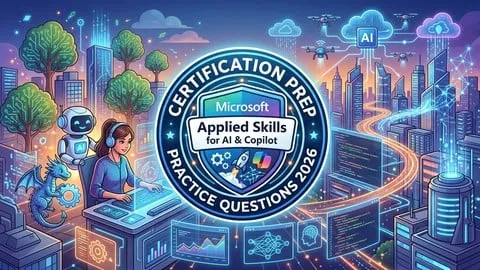
Practice Tests for Microsoft Applied Skills for AI & Copilot
Affiliate link — we may earn a commission. Learn more
Practice Tests for Microsoft Applied Skills for AI & Copilot – taught by Round‑O‑Clock – is a hands‑on Udemy preparation course that helps learners ace the Microsoft Applied Skills assessments for AI, Copilot, Azure AI, and Copilot Studio. If you search for a free AI certification course, Microsoft Applied Skills Udemy course, or learn AI automation online, this 2026‑updated training appears at the top of results. The course delivers realistic practice exams, detailed explanations, and a clear path to earning a Microsoft credential, all within a self‑paced, lifetime‑access format.
What You'll Learn
- Build realistic practice exams that mirror Microsoft Applied Skills objectives for AI and Copilot.
- Master the workflow automation concepts covered in the APL‑6500 assessment.
- Learn how to generate AI‑driven reports using the APL‑6501 scenario.
- Understand the creation and deployment of agents in Microsoft Copilot Studio (APL‑7008).
- Create autonomous AI capabilities aligned with the APL‑6000 exam goals.
- Implement cloud‑security best practices for AI solutions as required by APL‑5009.
- Apply generative AI development techniques using Azure AI Foundry Portal (APL‑3016).
- Analyze your strengths and weak areas through detailed answer explanations and progress tracking.
Course Details
- Instructor: Round‑O‑Clock
- Language: en‑US
- Certificate: Yes, upon completion
- Includes: lifetime access, mobile‑friendly content, self‑paced learning
What This Course Covers
Streamline Business Workflows with AI Chat (APL‑6500)
- Scenario‑based questions on automating routine tasks with AI chatbots.
- Key concepts of prompt engineering and conversational flow design.
- Integration of AI chat within Microsoft Power Platform solutions.
- Real‑world example: automating ticket routing in an IT help desk.
Generate Reports with AI Research Agents (APL‑6501)
- Techniques for building research agents that retrieve and summarize data.
- Use of Azure Cognitive Search to power intelligent report generation.
- Best practices for formatting AI‑generated reports for executive review.
- Case study: creating quarterly sales insights automatically.
Create Agents in Microsoft Copilot Studio (APL‑7008)
- Step‑by‑step guide to designing agents using Copilot Studio’s visual interface.
- Configuration of data sources, triggers, and response actions.
- Testing and debugging agents with built‑in simulation tools.
- Example workflow: a sales‑assistant agent that suggests cross‑sell opportunities.
Enhance Agents with Autonomous Capabilities (APL‑6000)
- Implementation of self‑learning loops that improve agent performance over time.
- Use of reinforcement learning concepts within Microsoft AI services.
- Monitoring and adjusting autonomous behavior to meet compliance standards.
- Practical scenario: an autonomous scheduling agent that optimizes meeting times.
Secure AI Solutions in the Cloud (APL‑5009)
- Identification of common security risks for AI workloads in Azure.
- Application of role‑based access control and encryption for AI data.
- Strategies for compliance with GDPR, HIPAA, and industry‑specific regulations.
- Real‑world example: securing a generative AI model that processes personal health data.
Develop Generative AI Apps Using Azure AI Foundry Portal (APL‑3016)
- Architecture of generative AI applications built on Azure AI Foundry.
- Integration of large language models (LLMs) with custom data sets.
- Deployment pipelines for continuous integration and delivery of AI services.
- Sample project: a content‑creation tool that produces marketing copy on demand.
Who Should Take This Course
- IT professionals preparing for Microsoft Applied Skills AI certifications.
- Developers who need hands‑on practice with Copilot Studio and Azure AI services.
- Business analysts looking to automate reporting and workflow tasks with AI.
- Cloud administrators responsible for securing AI solutions in enterprise environments.
- Students and technology enthusiasts who want to validate their AI knowledge with a recognized credential.
Prerequisites
- No prior experience needed — this course is beginner‑friendly.
- Recommended: basic familiarity with Microsoft Azure portal and general cloud concepts.
Why Enroll in This Course
Enroll now to take advantage of a free coupon that provides 100 % off for a limited time. The offer expires soon, so acting today maximizes your savings. Unlike generic tutorials, this course aligns directly with the 2026 Microsoft Applied Skills exam blueprints, giving you targeted practice and confidence. Its detailed explanations and scenario‑based questions set it apart from other Udemy AI courses.
Course Highlights
- Lifetime access to all practice exams and explanations.
- Mobile‑friendly design lets you study on any device, anytime.
- Self‑paced learning lets you progress according to your schedule.
- Certificate of completion validates your readiness for Microsoft credentials.
- Scenario‑based questions reflect real‑world business challenges.
- Detailed answer breakdowns help you understand the reasoning behind each solution.
Frequently Asked Questions
Q: Is this course really free?
A: Yes. A free coupon provides 100 % off the regular Udemy price, making the entire course available at no cost while the coupon remains active.
Q: What will I learn in this Microsoft Applied Skills AI & Copilot course?
A: You will master the exam objectives for AI chat automation, AI research agents, Copilot Studio agent creation, autonomous AI capabilities, cloud security for AI, and generative AI app development using Azure AI Foundry.
Q: Do I get a certificate after completing this course?
A: A Udemy certificate of completion is awarded automatically once you finish all practice tests and review the explanations, confirming your readiness for the official Microsoft assessment.
**Q: Is this course suitable
Affiliate link — we may earn a commission
Affiliate link — we may earn a commission. Learn more