
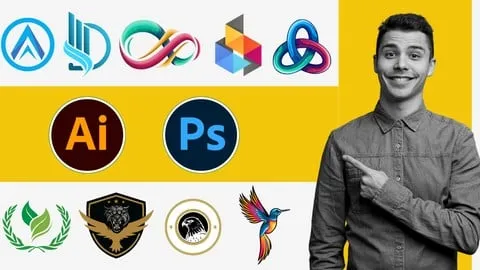
Master Logo Design with Photoshop Illustrator Zero to Pro
Affiliate link — we may earn a commission. Learn more
If you are looking for a free logo design course to kickstart your creative career, the Master Logo Design with Photoshop Illustrator Zero to Pro course by Learnify IT is an excellent choice. Updated October 2024, this comprehensive logo design Udemy course allows students to learn logo design online using the world's leading industry-standard software. By mastering both raster and vector tools, learners gain the practical skills necessary to create professional branding assets and achieve a certification outcome that validates their design expertise.
What You'll Learn
- Master the core principles of effective logo design to create visually appealing and memorable brands.
- Understand the different logo types and when to apply specific styles to meet a client's needs.
- Build complex vector shapes and detailed illustrations using Adobe Illustrator for perfect scalability.
- Implement image manipulation techniques in Adobe Photoshop to enhance logo elements and textures.
- Create stunning visual effects and professional treatments that make logos stand out in a crowded market.
- Analyze color theory and typography to ensure logo designs convey the right emotional message.
- Apply advanced refinement and finishing techniques to polish logos for final delivery.
- Develop a professional logo design portfolio that showcases a wide range of styles to attract high-paying clients.
Course Details
- Instructor: Learnify IT
- Rating: 4.0 stars
- Level: Beginner
- Language: English
- Certificate: Yes, upon completion
- Includes: Lifetime access, mobile-friendly content
What This Course Covers
Foundations of Logo Design
- Principles of effective design including balance, contrast, and emphasis
- Deep dive into color theory and how to choose palettes that resonate with target audiences
- Understanding typography and the psychological impact of different font choices
- Analyzing various logo types such as wordmarks, pictorial marks, and combination marks
- Composition techniques to ensure logos remain legible across various sizes
Mastering Adobe Photoshop for Designers
- Navigation of the Photoshop interface and customization of the workspace for design efficiency
- Essential image manipulation tools for creating unique logo textures and elements
- Applying visual effects and filters to add depth and professional polish to raster designs
- Techniques for logo refinement and cleaning up image-based assets
- Understanding the role of raster graphics in the broader branding process
Adobe Illustrator and Vector Graphics
- Introduction to the Illustrator interface and the importance of vector-based design
- Creating precise shapes and complex illustrations using the Pen tool and Shape Builder
- Learning how to scale logos infinitely without losing quality or resolution
- Mastering path operations and anchor point manipulation for clean, professional lines
- Transforming basic sketches into polished vector logos ready for production
Branding and Visual Identity
- Developing a cohesive brand identity that goes beyond just a single logo
- Using visual storytelling to communicate a company's mission and values through design
- Ensuring brand consistency across different mediums, including digital and print
- Creating a visual system that includes secondary colors and supporting graphics
- Strategies for building a brand voice through visual elements
Professional Workflow and Portfolio Building
- Effective communication strategies for gathering client requirements and feedback
- Managing logo design projects from the initial discovery phase to final delivery
- Organizing design files and creating a professional hand-off package for clients
- Selecting the best works to include in a professional logo design portfolio
- Tips for presenting logos in real-world mockups to impress potential employers
Who Should Take This Course
- Individuals with little to no experience in graphic design who want to learn logo design from scratch.
- Aspiring freelance designers looking to offer professional branding services to clients.
- Entrepreneurs and small business owners who want to create their own brand identity.
- Marketing professionals who want to understand the technical side of visual asset creation.
- Beginner artists transitioning from traditional art to digital design using Adobe software.
Prerequisites
- No prior experience in design or software use is needed — this course is beginner-friendly.
- Access to a computer capable of running Adobe Photoshop and Adobe Illustrator is recommended.
- A basic understanding of how to navigate a computer operating system.
Why Enroll in This Course
This course provides a unique dual-software approach, teaching both Photoshop and Illustrator, which is essential for any modern designer. Because a free coupon is often available for a limited time, you can access this high-value training at 100% off. Enrolling now allows you to bridge the gap between a hobbyist and a professional designer by learning the exact workflow used by industry experts. This structured path ensures you don't waste time on irrelevant tools and instead focus on what actually makes a logo successful.
Course Highlights
- Comprehensive Toolset: Covers both Adobe Photoshop and Illustrator in one package.
- Zero to Pro Path: Designed specifically for absolute beginners to reach a professional level.
- Portfolio Focus: Includes dedicated guidance on building a showcase of your work.
- Certification: Receive a certificate upon completion to add to your LinkedIn or resume.
- Self-Paced Learning: Study at your own speed with lifetime access to all video materials.
- Practical Application: Focuses on real-world projects rather than just theoretical knowledge.
Frequently Asked Questions
Q: Is this course really free? A: Yes, this course is available for free when you use a valid limited-time coupon. Once you enroll using the free coupon, you gain full access to the course materials and the certificate of completion without any hidden costs.
Q: What will I learn in this logo design course? A: You will learn the entire lifecycle of logo creation, starting from design theory and color psychology to the technical execution in Adobe Photoshop and Illustrator. The course also covers professional aspects like client communication and portfolio development.
Q: Do I get a certificate after completing this course? A: Yes, upon successfully finishing all the lectures and requirements, you will receive a certificate of completion from Udemy. This certificate serves as proof of your skills in logo design and Adobe software.
Q: Is this course suitable for beginners? A: Absolutely. The course is specifically titled "Zero to Pro," meaning it assumes you have no prior knowledge of graphic design or the Adobe Creative Cloud suite. Every tool and concept is explained from the ground up.
Q: How long do I have to enroll for free? A: Free coupons are typically available for a limited time or for a specific number of redemptions. It is highly recommended to enroll as soon as possible to ensure you secure your spot before the offer expires.
Final Thoughts
The Master Logo Design with Photoshop Illustrator Zero to Pro course is an ideal starting point for anyone eager to enter the world of graphic design. By combining technical software mastery with fundamental design theory, this course empowers you to create professional-grade identities for any brand. Enroll today and start your journey toward becoming a confident and skilled logo design master.
Affiliate link — we may earn a commission
Affiliate link — we may earn a commission. Learn more



