Learn Basics of Adobe Photoshop CC for Beginners
Affiliate link — we may earn a commission. Learn more
Learn Basics of Adobe Photoshop CC for Beginners: A Comprehensive Review
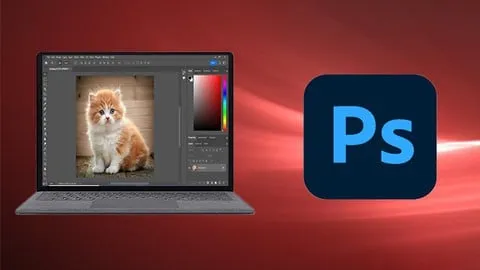
If you are looking to jumpstart your creative journey, the Learn Basics of Adobe Photoshop CC for Beginners course taught by AK Media is an exceptional starting point. Updated for 2024, this professional Adobe Photoshop Udemy course is designed to take absolute novices and turn them into confident users of the world's most popular image editing software. Whether you want to learn Photoshop online for a new career, a side hustle, or a personal hobby, this course provides a streamlined path to mastering the essential tools of the trade. Available on Udemy, this training focuses on practical application, ensuring you spend less time on theory and more time actually creating digital art and editing photos.
What You'll Learn
- Master the Adobe Photoshop interface and navigation to move through your projects with speed and efficiency.
- Create professional documents from scratch and learn the technical requirements for setting up files for different media.
- Implement Layer Masks and Layer Properties to perform non-destructive editing, allowing you to make changes without permanently altering your original images.
- Apply advanced selection tools, including the Magic Wand and the Object Selection Tool, to isolate subjects with pixel-perfect precision.
- Execute image transformations, including resizing, cropping, and straightening, to improve the overall composition and balance of your photography.
- Manage file exports for web and print, ensuring your colors and resolutions are optimized for their final destination.
- Utilize professional exercise files to practice every lesson in a real-world scenario, reinforcing the concepts learned in each video.
- Build a sound foundation in graphic design that allows you to transition into more complex projects like digital painting or advanced photo manipulation.
Course Details
- Instructor: AK Media
- Rating: 4.0 stars (400,773 reviews)
- Level: Beginner
- Language: English
- Enrolled students: 400,773
- Certificate: Yes, upon completion
- Includes: Lifetime access, mobile-friendly content, and downloadable exercise files
What This Course Covers
Getting Started with Photoshop
- Comprehensive introduction to the Photoshop CC workspace and interface
- Step-by-step guide to creating new documents with custom presets
- Best practices for opening, saving, and organizing your project files
- Detailed instruction on exporting high-quality images for both digital web use and physical print
- Essential shortcuts and efficiency tips to speed up your design workflow
Mastering Layers and Properties
- Understanding the fundamental concept of layers and how they stack
- Full walkthrough of the Layers Panel and its various management tools
- In-depth exploration of Layer Masks for seamless blending and hiding elements
- How to use various layer properties to control opacity, fill, and blending modes
- Techniques for organizing complex projects using groups and naming conventions
Precision Selection Techniques
- Using Marquee Selection Tools for basic geometric shapes
- Mastering Lasso Tools for freehand and polygonal selections
- Applying the Magic Wand and Quick Selection Tool for fast, color-based isolation
- Leveraging the modern Object Selection Tool to automatically identify subjects
- Refining selections to ensure clean edges and professional-looking cutouts
Image Transformation and Composition
- Using the Transform tool to resize, rotate, and skew objects within a canvas
- Mastering the Crop tool to remove unnecessary edges and improve framing
- Applying the Straighten tool to fix skewed horizons in landscape photography
- Understanding aspect ratios and how they affect the final look of your image
- Practical methods for scaling elements to create a balanced visual hierarchy
Who Should Take This Course
- Complete Beginners: Individuals who have never opened Photoshop and need a structured, step-by-step guide to get started.
- Aspiring Freelancers: People who want to learn Photoshop basics to offer graphic design services and get paid for their skills.
- Photographers: Hobbyist and professional photographers who want to enhance their images through better cropping, selection, and layer management.
- Digital Marketers and Business Owners: Professionals who need to create their own social media graphics, ads, and marketing materials without relying on an external agency.
- Time-Constrained Learners: Students or working professionals who cannot commit to a 40-hour masterclass and need a condensed, high-impact introduction.
Prerequisites
- No prior experience with graphic design or image editing is needed — this course is entirely beginner-friendly.
- A computer capable of running Adobe Photoshop CC is required to follow along with the practical exercises.
- A basic understanding of how to navigate a computer operating system (Windows or macOS).
Why Enroll in This Course
This course is an ideal choice for anyone who feels overwhelmed by the complexity of Adobe's software. Instead of wasting hours on unnecessary features, it focuses on the core tools that provide 80% of the results. Because of the limited time nature of Udemy promotions, you can often find a free coupon that allows you to enroll at 100% off, making it a risk-free investment in your education. Given the massive number of enrollments—over 400,000 students—this course has a proven track record of delivering value to those who want a fast-paced, efficient introduction to digital design.
Course Highlights
- Lifetime Access: Once you enroll, you have permanent access to all video lectures and updates, allowing you to review difficult sections at your own pace.
- Self-Paced Learning: The modular structure allows you to learn as much or as little as you want each day, fitting the training around your busy schedule.
- Certificate of Completion: Upon finishing the course, you receive a certificate that you can add to your LinkedIn profile or portfolio to verify your skills.
- Practical Exercise Files: Every chapter comes with dedicated files, ensuring you are not just watching videos but actively practicing the tools.
- Mobile-Friendly Content: You can learn on the go by accessing the course materials via the Udemy mobile app.
- Focused Curriculum: The course avoids "feature bloat," teaching only the most essential basics to get you productive as quickly as possible.
Frequently Asked Questions
Q: Is this course really free? A: This course is often available for free through limited-time promotional coupons. When a 100% off coupon is active, you can enroll without any payment and still receive full access to all the course content and the final certificate.
Q: What will I learn in this Adobe Photoshop course? A: You will learn the fundamental pillars of Photoshop, including the user interface, the power of layers and masking, precision selection tools, and image transformation techniques. By the end, you will know how to edit a photo from scratch and export it correctly for various platforms.
Q: Do I get a certificate after completing this course? A: Yes, once you have completed all the video modules and requirements, Udemy provides a certificate of completion. This serves as a great addition to your resume when applying for entry-level design or marketing roles.
Q: Is this course suitable for absolute beginners? A: Absolutely. The instructor assumes you have zero prior knowledge of the software. The lessons are presented in a step-by-step format, moving from the simplest basics to more detailed applications without becoming overcomplicated.
Q: How long do I have to enroll for free? A: Free coupons are typically available for a very short window of time and have a limited number of redemptions. It is recommended to enroll as soon as you find an active coupon to ensure you secure your spot in the course.
Final Thoughts
The Learn Basics of Adobe Photoshop CC for Beginners course by AK Media is a highly efficient gateway into the world of digital design. By focusing on the essential tools of the Adobe Photoshop ecosystem, it empowers beginners to start creating professional visuals without feeling overwhelmed. If you are ready to master the basics of image editing and build a foundation for a creative career, this is the perfect place to start your learning journey.
Affiliate link — we may earn a commission
Affiliate link — we may earn a commission. Learn more