
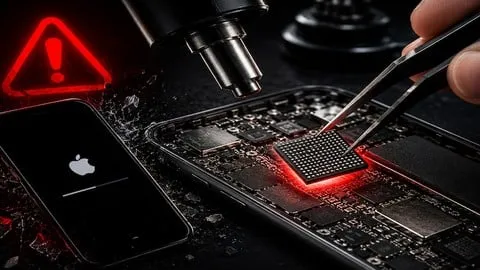
iPhone Repair: Memory Upgrade 32GB to 256GB Without Bricking
Affiliate link — we may earn a commission. Learn more
iPhone Repair: Memory Upgrade 32GB to 256GB Without Bricking – taught by CPU Academy, is a hands‑on Udemy course that lets you learn iPhone repair online and master the high‑demand skill of expanding iPhone storage. The training is perfect for technicians searching for a free iPhone memory upgrade course or anyone looking for an iPhone repair Udemy course in 2026. Updated July 2026, the program covers every step from NAND chip removal to preserving the IMEI, so you can turn a 32 GB iPhone into a 128 GB or 256 GB device without bricking the board.
What You'll Learn
- Build a complete iPhone memory upgrade workflow that preserves the device’s IMEI, Wi‑Fi MAC, Bluetooth MAC, and Touch ID.
- Master hot‑air rework techniques to safely remove the NAND chip without damaging the baseband or audio components.
- Learn how to reball and reflow a larger NAND chip using the correct stencil and solder profile.
- Understand the iPhone SysCfg block and how to read and write it to keep the phone’s identity intact.
- Create a 6‑point validation checklist that confirms storage size, IMEI integrity, and functional operation before the phone leaves your bench.
- Implement troubleshooting steps for Apple logo loops, restore errors (9, 14, 4013, 4014), and missing IMEI issues.
- Apply restoration methods through Finder, iTunes, or 3uTools to finish the upgrade cleanly.
- Analyze pricing models and customer‑handling workflows that turn the memory upgrade into a profitable service.
Course Details
- Instructor: CPU Academy
- Rating: 5.0 stars
- Enrolled students: 18,740
- Level: Intermediate
- Language: English (en‑US)
- Certificate: Yes, upon completion
- Includes: Lifetime access, mobile‑friendly video streaming, downloadable resource files
What This Course Covers
Understanding NAND & SysCfg
- Overview of iPhone NAND architecture and storage capacities.
- How the SysCfg block stores IMEI, Wi‑Fi MAC, Bluetooth MAC, and Touch ID data.
- Methods to read the original NAND chip and extract identity information.
- Risks of losing SysCfg and how to prevent bricking.
Chip Removal & Reballing
- Setting up a hot‑air rework station with correct temperature and airflow.
- Step‑by‑step removal of the NAND chip while protecting adjacent components.
- Selecting the proper stencil and solder paste for reballing the new chip.
- Reflow techniques that ensure a clean, reliable solder joint.
Restoration & Validation
- Using Finder, iTunes, or 3uTools to restore the iPhone after the swap.
- Running the 6‑point validation checklist: storage size, IMEI, Wi‑Fi, Bluetooth, Touch ID, and overall functionality.
- Documenting results and preparing the device for customer delivery.
- Tips for maintaining a consistent workflow across multiple devices.
Troubleshooting Common Errors
- Diagnosing Apple logo loops and implementing recovery procedures.
- Fixing restore errors 9, 14, 4013, 4014 without resetting the device.
- Resolving missing IMEI and incorrect storage size after a chip swap.
- Using diagnostic tools to isolate board‑level faults quickly.
Pricing & Customer Workflow
- Building a transparent pricing framework based on parts, labor, and warranty.
- Crafting a customer intake script that sets expectations and reduces disputes.
- Implementing the CPU Academy + Scorpion Repair workflow for repeatable service.
- Marketing strategies to attract iPhone owners needing storage upgrades.
Who Should Take This Course
- Mobile‑phone repair technicians seeking a specialty that most shops cannot offer.
- Repair shop owners who want a reliable, repeatable in‑house workflow for iPhone memory upgrades.
- Technicians already comfortable with Android repairs, screen swaps, and battery replacements who want to add a high‑value iPhone skill.
- iPhone refurbishers, Amazon sellers, and marketplace flippers looking to increase device resale value.
- Career‑switchers or side‑hustlers with basic board‑level experience who want a lucrative micro‑soldering skill.
Prerequisites
- Experience opening phones and performing basic logic‑board work.
- Access to a hot‑air rework station, a 10× (or higher) microscope, and an ESD‑safe workstation.
- A compatible NAND programmer (JCID P7S, P15, V1S, or equivalent).
- Recommended: Completion of a micro‑soldering primer course before attempting the upgrade.
Why Enroll in This Course
This Udemy training delivers a free coupon that provides 100 % off for a limited time, making a premium, industry‑tested skill accessible without cost. The curriculum focuses on real‑world board‑level procedures, not generic tutorials, so you avoid the common pitfalls that brick phones. Compared with other iPhone repair courses, this program offers a complete business model, validated validation steps, and a proven pricing strategy that turns a single repair into a steady revenue stream.
Course Highlights
- Lifetime access to all video lessons and downloadable resources.
- Self‑paced learning that fits around a busy repair shop schedule.
- Certificate of completion that can be added to professional profiles.
- Mobile‑friendly platform allowing you to review modules on a tablet or phone.
- 30‑day money‑back guarantee for peace of mind.
- Ongoing updates that keep the workflow aligned with the latest iPhone hardware revisions.
Frequently Asked Questions
Q: Is this course really free?
A: Yes. A free Udemy coupon grants full access to the entire curriculum at no cost, but the offer is available only for a limited period, so act quickly to claim the 100 % discount.
Q: What will I learn in this iPhone memory upgrade course?
A: You will master NAND chip removal, SysCfg preservation, reballing, and reflow techniques, plus validation, restoration, and troubleshooting of common
Affiliate link — we may earn a commission
Affiliate link — we may earn a commission. Learn more