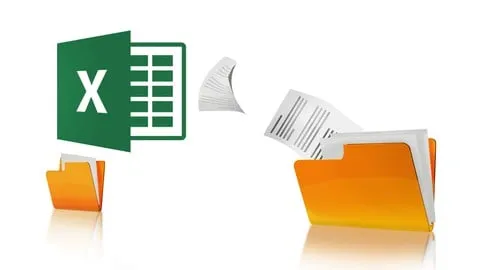
Reportings und Routineaufgaben mit Excel VBA automatisieren
Affiliate link — we may earn a commission. Learn more
Master Your Workflow with the Reportings und Routineaufgaben mit Excel VBA automatisieren Course
Looking for a free Excel VBA course to stop the manual grind of data entry? The Reportings und Routineaufgaben mit Excel VBA automatisieren course, led by industry expert Sebastian Glöckner, is a comprehensive Udemy course designed for professionals who want to learn Excel automation online. Updated July 2024, this training provides a practical roadmap to building a fully automated "copy tool" that eliminates the frustration of manual reporting. By mastering these VBA skills, students can transition from tedious manual consolidation to a professional, one-click reporting system that ensures accuracy and saves significant time every week.
What You'll Learn
- Automate regular Excel reportings to eliminate the need for manual data entry and repetitive updates.
- Build a professional Excel copy tool using VBA macros that handles complex data transfers with a single click.
- Master data consolidation techniques to seamlessly exchange and merge information across multiple different Excel workbooks.
- Implement error-reduction strategies to completely avoid the common "Copy & Paste" mistakes that plague manual reporting.
- Reduce weekly workloads by up to 10 hours by automating routine office productivity tasks.
- Create high-quality management reports that are consistent, professional, and delivered on time without overtime.
- Develop custom VBA scripts tailored to your specific job requirements to streamline your unique business processes.
- Analyze and optimize routine tasks to identify which parts of your workflow are best suited for VBA automation.
Course Details
- Instructor: Sebastian Glöckner (Trusted by 300,000+ students)
- Rating: 4.7 stars
- Level: Beginner to Intermediate
- Language: German (de-DE)
- Certificate: Yes, upon completion
- Includes: Lifetime access, mobile-friendly content, and on-demand video lectures
What This Course Covers
Foundations of Excel VBA Automation
- Understanding the VBA (Visual Basic for Applications) environment within Excel
- Creating your first basic macros to automate simple clicks
- Learning the logic behind automated routines for office productivity
- Setting up the necessary workbook structures to support automation tools
Advanced Data Consolidation and Exchange
- Techniques for opening and referencing multiple external Excel files automatically
- Developing scripts that move data between different workbooks without manual intervention
- Mastering the art of data consolidation to create a "single source of truth"
- Managing dynamic data ranges so the tool works even when report sizes change
Eliminating Manual Copy & Paste Errors
- Identifying the root causes of manual reporting errors and how VBA solves them
- Implementing validation checks to ensure data integrity during the transfer process
- Creating standardized templates that the automation tool can populate reliably
- Developing "cleanup" routines to remove formatting errors and inconsistencies
Building the Fully Automated Copy Tool
- Integrating separate VBA scripts into one comprehensive, user-friendly tool
- Creating a simple interface or button-trigger system for non-technical users
- Testing the automation tool with real-world management reporting scenarios
- Optimizing the code for maximum execution speed and system stability
Professional Reporting and Career Growth
- Shifting focus from manual data manipulation to high-level data analysis
- Using automation to deliver error-free reports to senior management
- Strategies for implementing your new VBA tools within a corporate environment
- Leveraging automation skills to increase professional value and career progression
Who Should Take This Course
- Project Managers and PMO Staff who spend hours every week consolidating status reports from different team members.
- Business Analysts and Controllers who need to maintain high data accuracy while handling vast amounts of financial or operational data.
- Office Professionals who are tired of the "Copy & Paste" grind and want to reclaim their personal time by eliminating overtime.
- Excel Beginners who have basic spreadsheet knowledge but want to transition into intermediate or advanced automation.
- Career-Driven Employees looking to stand out in their organization by introducing efficiency-boosting tools to their department.
Prerequisites
- Basic Excel Knowledge: You should be comfortable with basic formulas and spreadsheet navigation.
- No Prior VBA Experience Needed: This course is designed to take you from zero to building your own tools, making it very beginner-friendly.
- Windows Version of Excel: Since VBA functionality differs slightly between versions, a Windows-based installation of Excel is highly recommended.
Why Enroll in This Course
The value of this course lies in its immediate practical application; you aren't just learning theory, you are building a tool that solves a real-world problem. For many professionals, manual reporting is the most stressful part of the job, often leading to burnout and errors. By utilizing a free coupon for a limited time, you can get 100% off this high-value training and learn how to save up to 10 hours of work every single week. In today's competitive job market, the ability to automate routine tasks is a superpower that separates efficient employees from those who are overwhelmed by their workload.
Course Highlights
- Lifetime Access: Once you enroll, you have permanent access to all course materials, allowing you to revisit complex VBA concepts whenever you need.
- Practical Outcome: Unlike theoretical courses, this focuses on the creation of a tangible "Copy Tool" you can use at work immediately.
- Expert Instruction: Taught by Sebastian Glöckner, who has successfully trained over 300,000 students in office productivity.
- Certificate of Completion: Receive a formal certificate upon finishing the course to showcase your new automation skills on LinkedIn or your resume.
- Self-Paced Learning: The on-demand video format allows you to learn at your own speed, fitting the training around your professional schedule.
- Mobile-Friendly: Access the lessons from any device, making it easy to learn during commutes or breaks.
Frequently Asked Questions
Q: Is this course really free? A: Yes, this course is available for free when you use a valid promotional coupon. These coupons are typically offered for a limited time to help students get started with Excel automation without any financial barrier.
Q: What will I learn in this Excel VBA course? A: You will learn how to write VBA macros specifically designed to automate the consolidation of data from multiple Excel files. The primary goal is to build a custom "copy tool" that handles repetitive reporting tasks, thereby eliminating manual errors and saving hours of labor.
Q: Do I get a certificate after completing this course? A: Yes, upon successfully completing all the video modules and requirements, Udemy provides a certificate of completion. This is an excellent way to prove your proficiency in Excel VBA and automation to your current or future employer.
Q: Is this course suitable for beginners who have never coded? A: Absolutely. The course is designed for people who are tired of manual work and may have zero experience with programming. It guides you through the process step-by-step, from opening the VBA editor to finalizing a complex automation tool.
Q: How long do I have to enroll for free? A: Free coupons for Udemy courses are usually limited by either a time window or a maximum number of redemptions. It is highly recommended to enroll as soon as possible to ensure you secure your spot before the promotion expires.
Final Thoughts
If you are tired of spending your evenings and weekends fighting with spreadsheets, the Reportings und Routineaufgaben mit Excel VBA automatisieren course is your exit strategy. By mastering the art of the Excel VBA copy tool, you can transform your professional life and reclaim your time. Enroll today to start your journey toward a more efficient, error-free, and automated way of working with Excel.
Affiliate link — we may earn a commission
Affiliate link — we may earn a commission. Learn more