Comprehensive DaVinci Resolve With Color Grading Masterclass
Affiliate link — we may earn a commission. Learn more
Comprehensive DaVinci Resolve With Color Grading Masterclass
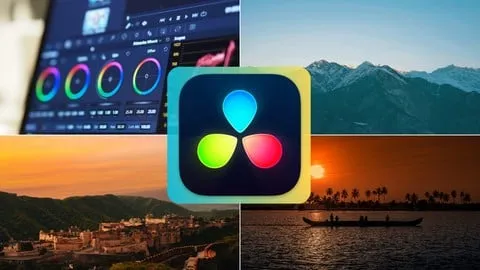
Looking for a free DaVinci Resolve course to master professional video editing and cinematic color correction? The Comprehensive DaVinci Resolve With Color Grading Masterclass by Learnify IT, available on Udemy, provides a complete roadmap for anyone wanting to learn color grading online. Updated July 2024, this comprehensive training equips students with the technical skills needed to transform raw footage into polished, Hollywood-style productions through professional post-production workflows.
What You'll Learn
- Master DaVinci Resolve fundamentals by navigating the complex interface and organizing project assets efficiently.
- Build professional video timelines using essential editing techniques including precision cutting, trimming, and seamless transitions.
- Implement advanced editing workflows such as multi-cam editing to handle complex shoots with multiple camera angles.
- Analyze color theory principles to create captivating color palettes that enhance the emotional mood of any visual story.
- Apply primary and secondary color corrections to balance exposure and target specific colors within a frame.
- Utilize advanced color tools including qualifiers, power windows, and custom curves for surgical precision in color manipulation.
- Create cinematic visual effects and motion graphics to add professional polish to final video deliverables.
- Execute high-quality exports by choosing the correct formats and codecs for various social media platforms and cinema screens.
Course Details
- Instructor: Learnify IT
- Rating: 3.9 stars (506,638 reviews)
- Level: Beginner to Advanced
- Language: English
- Enrolled students: 506,638
- Certificate: Yes, upon completion
- Includes: Lifetime access, mobile-friendly content, and downloadable project resources
What This Course Covers
DaVinci Resolve Interface and Fundamentals
- Navigating the various pages of the software including the Media, Cut, Edit, Color, and Deliver pages
- Managing project settings and optimizing database organization for faster workflows
- Mastering basic timeline manipulation and the art of the "rough cut"
- Understanding the relationship between source media and the master timeline
- Implementing basic transitions to maintain a smooth narrative flow
Advanced Editing and Audio Workflows
- Coordinating multi-camera setups for interviews, podcasts, and live events
- Utilizing the Fairlight audio tools for professional sound mixing and noise reduction
- Applying advanced trimming techniques to improve the pacing and rhythm of a video
- Organizing bins and metadata to streamline the editing process in large-scale projects
- Learning shortcut keys to increase editing speed and overall productivity
The Art and Theory of Color Grading
- Understanding the fundamental difference between color correction and color grading
- Exploring color theory and how different hues evoke specific psychological responses
- Working with the primary color wheels to adjust lift, gamma, and gain
- Creating consistent looks across multiple clips using the "still" and "gallery" functions
- Balancing skin tones to ensure natural and appealing appearances across different lighting conditions
Advanced Color Manipulation Tools
- Using qualifiers to isolate specific colors for targeted adjustment without affecting the whole image
- Implementing power windows to create masks for localized lighting and color changes
- Mastering the curve editor for precise control over contrast and saturation
- Building complex node trees to organize color grades into manageable layers
- Applying LUTs (Look-Up Tables) and customizing them for a unique cinematic signature
Professional Finishing and Delivery
- Integrating basic visual effects and motion graphics to enhance storytelling
- Adding professional titles and lower-thirds using the Fusion page tools
- Optimizing render settings for YouTube, Instagram, TikTok, and professional cinema formats
- Understanding the impact of different codecs on video quality and file size
- Performing final quality control checks to ensure a broadcast-ready finished product
Who Should Take This Course
- Aspiring Filmmakers and Videographers who want to achieve a professional, high-end look for their cinematic projects.
- Content Creators and YouTubers looking to improve their production value and storytelling through better editing and grading.
- Social Media Marketers who need to create eye-catching, high-impact short-form video content for brand growth.
- Beginner Video Editors transitioning from basic software to an industry-standard tool like DaVinci Resolve.
- Entrepreneurs wanting to handle their own video marketing in-house to reduce production costs.
Prerequisites
- No prior experience with professional editing software is needed — this course is beginner-friendly.
- A computer capable of running DaVinci Resolve (minimum system requirements for the software should be met).
- A basic understanding of how to operate a computer and manage digital files.
- Recommended: Some raw video footage to practice the exercises, though the course provides resources.
Why Enroll in This Course
This masterclass offers an incredible value proposition for anyone looking to enter the world of professional post-production. Because a free coupon is often available for a limited time, students can frequently access this high-level training 100% off. This represents a unique opportunity to master an industry-standard tool without financial risk. Compared to fragmented YouTube tutorials, this course provides a structured, linear path from total beginner to advanced colorist.
Course Highlights
- Lifetime Access: Enroll once and maintain access to all video lessons and updates forever.
- Comprehensive Scope: Covers everything from the first click in the interface to the final export.
- Practical Application: Focuses on hands-on exercises that mirror real-world video production scenarios.
- Certification of Completion: Receive a certificate that validates your skills in DaVinci Resolve and color grading.
- Flexible Learning: The self-paced format allows students to learn at their own speed on any device.
- Resource Library: Access to project files and cheat sheets that simplify complex software workflows.
Frequently Asked Questions
Q: Is this course really free? A: This course is often available for free through limited-time promotional coupons. When a 100% off coupon is active, you can enroll via Udemy without any payment and keep the course in your library forever.
Q: What will I learn in this DaVinci Resolve course? A: You will learn the entire post-production pipeline, starting with basic editing and timeline management. The course then moves into advanced audio mixing and deep-dives into professional color grading, culminating in visual effects and final delivery.
Q: Do I get a certificate after completing this course? A: Yes, upon completing all the lessons and requirements, you will receive a certificate of completion from Udemy. This can be added to your LinkedIn profile or portfolio to showcase your video editing proficiency.
Q: Is this course suitable for absolute beginners? A: Absolutely. The curriculum starts with the absolute fundamentals of the interface and project management. It is specifically designed to take someone with zero experience and build their skills up to an advanced level.
Q: How long do I have to enroll for free? A: Free coupons are typically time-sensitive and limited to a certain number of redemptions. It is recommended to enroll as soon as you find an active coupon to ensure you secure your spot and lifetime access.
Final Thoughts
The Comprehensive DaVinci Resolve With Color Grading Masterclass is an essential resource for anyone serious about improving their video quality. By combining technical editing skills with the artistic science of color grading, this course empowers you to create professional-grade content. Whether you are a YouTuber or an aspiring filmmaker, now is the perfect time to start your learning journey and master the art of post-production.
Affiliate link — we may earn a commission
Affiliate link — we may earn a commission. Learn more