Cómo Crear una Página Web Para Google Adsense 2026
Affiliate link — we may earn a commission. Learn more
Cómo Crear una Página Web Para Google Adsense 2026 – Renato Jesús Yacolca Neyra
Free Udemy course – Updated July 2026
If you’re searching for a free Google Adsense course, a Google Adsense Udemy course, or simply want to learn how to create a website for Adsense online, this Spanish‑language training from Renato Jesús Yacolca Neyra delivers exactly that. Hosted on Udemy, the program walks you through every step—from picking a domain to publishing ads—so you can start generating revenue without needing a prior web‑development background. The course emphasizes practical, hands‑on work with WordPress, SSL certificates, and artificial‑intelligence content tools, giving you a ready‑to‑monetize site by the final lesson.
What You'll Learn
- Build a professional WordPress website optimized for Google Adsense using a Hostinger affiliate theme.
- Master the process of selecting and registering a domain and reliable hosting service for ad revenue.
- Learn how to install WordPress securely and configure an SSL certificate for HTTPS compliance.
- Understand the fundamentals of Google Adsense policies and how to create a compliant Adsense account.
- Create AI‑generated website content and articles that attract traffic and improve ad performance.
- Implement manual and automatic ad placements, ensuring optimal placement for clicks and impressions.
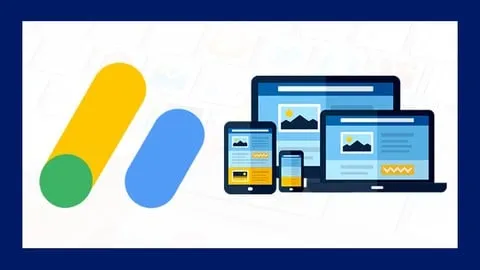
- Apply responsive design techniques to make the site mobile‑friendly on tablets and smartphones.
- Develop a functional contact form and other essential site elements that boost user engagement.
Course Details
- Instructor: Renato Jesús Yacolca Neyra
- Rating: 3.2 stars
- Language: Español (es‑LA)
- Certificate: Yes, upon completion
- Includes: Lifetime access, mobile‑friendly video lessons, downloadable resources
What This Course Covers
Módulo 1 – Dominio y Hosting
- Selección de un nombre de dominio atractivo y disponible.
- Comparación de proveedores de hosting y elección del plan adecuado para Adsense.
- Configuración DNS básica para apuntar el dominio al servidor de hosting.
- Verificación de la propiedad del dominio mediante Google Search Console.
Módulo 2 – Instalación de WordPress y SSL
- Descarga e instalación de WordPress en el servidor elegido.
- Configuración de un certificado SSL gratuito (Let’s Encrypt) para HTTPS.
- Ajustes de seguridad iniciales: plugins de firewall y copias de seguridad.
- Optimización de la velocidad de carga mediante caché y compresión.
Módulo 3 – Diseño y Personalización Profesional
- Instalación y configuración del tema Hostinger para afiliados.
- Personalización del encabezado, pie de página y menús de navegación.
- Uso de constructores visuales (Elementor o Gutenberg) para crear páginas atractivas.
- Integración de tipografías y paletas de colores que favorecen la experiencia del usuario.
Módulo 4 – Contenido con Inteligencia Artificial
- Introducción a herramientas de IA (ChatGPT, Jasper) para generar textos SEO.
- Creación de artículos de blog estructurados y optimizados para Adsense.
- Técnicas de investigación de palabras clave y tendencias de nicho.
- Edición y revisión humana para garantizar calidad y originalidad.
Módulo 5 – Configuración de Google Adsense
- Registro paso a paso de una cuenta de Google Adsense.
- Verificación de la cuenta y cumplimiento de los requisitos de tráfico.
- Inserción manual de bloques de anuncios mediante código HTML.
- Configuración de anuncios automáticos y uso de la herramienta de colocación inteligente.
Módulo 6 – Optimización para Dispositivos Móviles
- Adaptación de plantillas responsivas para smartphones y tablets.
- Pruebas de usabilidad móvil con Google Mobile-Friendly Test.
- Ajuste de tamaños de anuncio y formatos compatibles con pantallas pequeñas.
- Mejores prácticas para mantener la velocidad de carga en dispositivos móviles.
Who Should Take This Course
- Entrepreneurs who want to launch a niche website that generates passive income through Adsense.
- Small‑business owners looking to add a monetized blog to their online presence.
- Students and freelancers eager to master WordPress and AI‑assisted content creation.
- Beginners with no prior coding experience who aim to become self‑sufficient website owners.
- Digital marketers seeking a practical, step‑by‑step guide to Adsense compliance and earnings optimization.
Prerequisites
- No prior experience needed — this course is beginner‑friendly.
- Basic computer literacy (ability to navigate a web browser and install software).
- Recommended: Familiarity with Google Search and a willingness to experiment with AI writing tools.
Why Enroll in This Course
This Udemy training packs a full website‑building pipeline into a single, easy‑to‑follow series, so you avoid piecing together scattered tutorials. A free coupon provides 100 % off for a limited time, making the entire curriculum accessible without any financial barrier. Enroll now, because the offer expires soon and the skills taught are timeless for anyone looking to monetize a site with Google Adsense.
Course Highlights
- Lifetime access to all video lessons and updates, so you can revisit content anytime.
- Self‑paced learning that lets you progress according to your own schedule.
- Certificate of completion that can be added to LinkedIn or a résumé.
- Mobile‑friendly platform allowing you to study on smartphones or tablets.
- Practical, project‑based approach where you launch a real Adsense‑ready site.
- AI‑driven content creation tutorials that keep your site fresh and SEO‑optimized.
Frequently Asked Questions
Q: Is this course really free?
A: Yes. By applying the available Udemy free coupon, you can enroll at 100 % off and gain full access to every lesson, resource, and the completion certificate without paying a cent.
Q: What will I learn in this Google Adsense course?
A: You will learn how to acquire a domain and hosting, install WordPress with SSL, design a professional site, generate AI‑assisted content, set up a Google Adsense account, place ads manually and automatically, and optimize the site for mobile devices.
Q: Do I get a certificate after completing this course?
A: Absolutely. Udemy awards a certificate of completion once you finish all modules, which you can share on professional networks or include in your portfolio.
Q: Is this course suitable for beginners?
A: The curriculum is built for beginners; no prior web‑development or Adsense experience is required. All steps are explained from the ground up with clear, practical demonstrations.
Q: How long do I have to enroll for free?
A: The free coupon is available for a limited time and may expire at any moment. To guarantee
Affiliate link — we may earn a commission
Affiliate link — we may earn a commission. Learn more