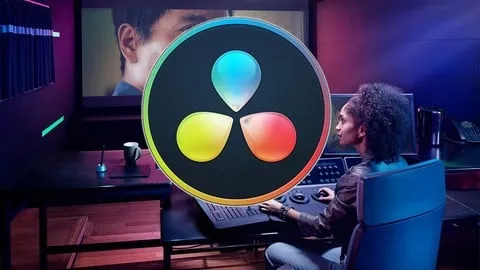
Color Grading and Video Editing with Davinci Resolve
Affiliate link — we may earn a commission. Learn more
Color Grading and Video Editing with DaVinci Resolve – taught by AK Media, is a hands‑on Udemy course that lets you master professional‑grade video editing and color work without spending a dime on software. Updated July 2026, this free DaVinci Resolve training covers everything from basic timeline cuts to advanced color‑grading techniques, preparing you for real‑world projects and a certification‑ready portfolio. Whether you search for a free video editing course, a DaVinci Resolve Udemy course, or want to learn color grading online, this curriculum delivers practical skills, industry‑standard workflows, and a shareable certificate upon completion.
What You'll Learn
- Build a complete video project from import to final export using DaVinci Resolve 18’s timeline tools.
- Master color correction and grading workflows, including Log footage handling and Power Window tracking.
- Learn how to organize media efficiently with Bins, Power Bins, and metadata tagging.
- Understand the Fusion text engine to create motion graphics, lower thirds, and animated titles.
- Create custom transitions and apply ResolveFX effects for polished visual storytelling.
- Implement speed‑graph re‑timing to produce smooth slow‑motion and fast‑motion sequences.
- Apply advanced color tools such as Curves, Qualifiers, and Keys to achieve a cinematic look.
- Analyze export settings for HD playback, ensuring your videos meet YouTube, marketing, or demo‑reel standards.
Course Details
- Instructor: AK Media
- Rating: 3.3 stars
- Enrolled students: 400,773
- Language: en‑US
- Level: Beginner
- Certificate: Yes, upon completion
- Includes: Lifetime access, mobile‑friendly streaming, downloadable resources
What This Course Covers
1. Getting Started with DaVinci Resolve
- Overview of the DaVinci Resolve 18 interface and workspace layout.
- Setting up a new project and configuring project settings for optimal performance.
- Importing footage, audio, and graphics into Bins and Power Bins.
- Organizing media with metadata, markers, and smart bins.
2. Core Video Editing Fundamentals
- Cutting, trimming, and ripple‑editing clips frame by frame.
- Using the edit page’s insert, overwrite, and replace edit modes.
- Applying and customizing transitions, including creating your own.
- Working with multi‑camera timelines and synchronized audio.
3. Motion Graphics & Fusion Text
- Adding lower thirds, titles, and on‑screen graphics.
- Building an intro and outro using Fusion’s node‑based compositor.
- Animating text with keyframes and expressions for dynamic motion.
- Exporting graphic assets for reuse across multiple projects.
4. Color Correction & Grading Essentials
- Performing primary color correction with the Color Wheels and Lift‑Gamma‑Gain controls.
- Using Log-to-Rec709 conversion for flat footage.
- Applying Power Windows, Clouds, and Point Trackers to isolate subjects.
- Crafting a consistent look with Curves, Qualifiers, and Keyframes.
5. Advanced Effects and Audio Polish
- Exploring ResolveFX library: blur, glow, sharpen, and stylized looks.
- Layering effects and adjusting node order for complex composites.
- Basic audio editing: leveling, noise reduction, and adding music tracks.
- Syncing audio cues with visual cuts for professional pacing.
6. Exporting and Delivery Strategies
- Setting up render presets for YouTube, Instagram, and broadcast standards.
- Exporting in multiple formats: MP4, MOV, and ProRes for different platforms.
- Using the Deliver page’s timeline and clip‑based rendering options.
- Archiving project files and media for future revisions.
Who Should Take This Course
- Beginners who have never opened DaVinci Resolve before.
- Aspiring YouTubers looking to produce high‑quality video content.
- Freelance video editors seeking a free, professional‑grade editing suite.
- Marketing professionals needing to create compelling brand videos.
- Students aiming to build a demo‑reel for entry‑level editing positions.
Prerequisites
- No prior experience with DaVinci Resolve or video editing is required.
- A computer capable of running DaVinci Resolve 18 (minimum 8 GB RAM recommended).
- Recommended: basic familiarity with file organization and video file formats.
Why Enroll in This Course
Enroll now to take advantage of a free coupon that grants 100 % off the regular price, but the offer is limited time and may expire soon. The course combines concise theory with a full‑length project, so you finish with a polished video ready for your portfolio. Compared with other tutorials, this Udemy class provides structured lessons, lifetime access, and a completion certificate that validates your new editing skills.
Course Highlights
- Lifetime access to all video lessons and future updates.
- Self‑paced learning lets you pause, rewind, and practice at your own speed.
- Certificate of completion to showcase on LinkedIn or a résumé.
- Mobile‑friendly streaming for learning on tablets or smartphones.
- Practical, project‑based approach: create a complete video from start to finish.
- Comprehensive coverage of editing, visual effects, motion graphics, and color grading.
Frequently Asked Questions
Q: Is this course really free?
A: Yes, the course can be accessed for free using a limited‑time Udemy coupon that removes the price entirely. The coupon applies at checkout, and you keep the free enrollment permanently.
Q: What will I learn in this DaVinci Resolve course?
A: You will learn the full editing workflow in DaVinci Resolve 18, including media import, timeline editing, transitions, Fusion graphics, color correction, grading, effects, audio polishing, and exporting for various platforms. Each skill is demonstrated through a real‑world project.
Q: Do I get a certificate after completing this course?
A: Yes, Udemy provides a downloadable certificate of completion once you finish all lectures and pass any optional quizzes. This certificate can be added to professional profiles.
Q: Is this course suitable for beginners?
A: Absolutely. The instructor designs the lessons for users with no prior video‑editing background, and the curriculum starts with the basics before progressing to advanced tools.
Q: How long do I have to enroll for free?
A: The free coupon is available for a limited period, typically a few days to a week after the promotion is posted. Enroll while the coupon is active to secure 100 % off; after the coupon expires, the course returns to its regular price.
Final Thoughts
Color Grading and Video Editing with DaVinci Resolve offers a complete, beginner‑friendly pathway to mastering professional video production and color work. If you want to edit YouTube videos, create marketing clips, or start a career in video editing, this free Udemy course equips you with the tools and confidence to succeed. Grab the free coupon today and begin your editing journey now.
Affiliate link — we may earn a commission
Affiliate link — we may earn a commission. Learn more