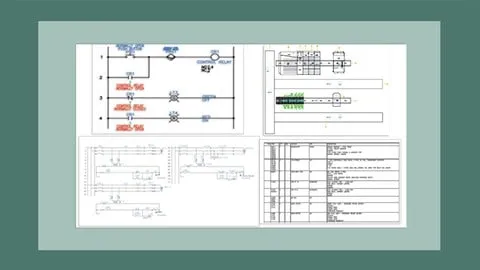
AutoCAD Electrical 2027: Tutorials, Exercises, and Projects
Affiliate link — we may earn a commission. Learn more
AutoCAD Electrical 2027: Tutorials, Exercises, and Projects by CADCIM Technologies is a comprehensive Udemy course that teaches you how to master the latest version of AutoCAD Electrical. Updated July 2026, this free‑coupon‑enabled training delivers practical, industry‑ready skills for creating professional electrical control drawings. Whether you are preparing for certification or looking to boost your drafting productivity, the course covers everything from schematic design to automated report generation.
What You'll Learn
- Build complete electrical schematics using AutoCAD Electrical 2027’s built‑in libraries and symbols.
- Master the Circuit Builder tool to generate wiring diagrams quickly and accurately.
- Learn how to design panel layouts, including title blocks, templates, and PLC I/O modules.
- Understand the workflow for automatic wire numbering, bill of materials, and report generation.
- Create ladder diagrams and point‑to‑point wiring drawings for industrial control systems.
- Implement parametric and non‑parametric PLC modules for both simple and complex projects.
- Apply AI‑assisted features to streamline repetitive drafting tasks and improve design consistency.
- Analyze real‑world case studies and complete two hands‑on projects that simulate industry requirements.
Course Details
- Instructor: CADCIM Technologies
- Rating: 4.5 stars
- Language: English (en‑US)
- Enrolled students: 537,767
- Last updated: July 2026
- Certificate: Yes, upon completion
- Includes: 49 video lectures, self‑evaluation tests & exercises, 2 practical project PDFs
What This Course Covers
Introduction & Interface
- Overview of AutoCAD Electrical 2027 environment and navigation tools.
- Setting up custom title blocks, templates, and project standards.
- Configuring libraries and symbol databases for electrical design.
Schematic Drawing Fundamentals
- Creating schematic drawings with proper layer management.
- Using built‑in symbols for switches, relays, and power components.
- Applying automatic wire numbering and annotation features.
Circuit Builder & PLC Modules
- Building circuits with the Circuit Builder wizard.
- Inserting and configuring parametric PLC I/O modules.
- Generating ladder logic diagrams directly from schematics.
Panel & Layout Design
- Designing panel layouts, including front‑panel and back‑panel views.
- Positioning and routing wires within confined panel spaces.
- Generating printable panel drawings and fabrication files.
Reporting & Automation
- Producing automatic reports: BOM, wiring lists, and test plans.
- Using AI‑assisted tools to detect design errors and suggest corrections.
- Exporting drawings to PDF, DWG, and Excel for stakeholder review.
Practical Projects
- Project 1: Complete control system for a conveyor belt, from schematic to panel layout.
- Project 2: PLC‑driven motor starter system with detailed wiring diagrams.
- Step‑by‑step guidance for project documentation and final report generation.
Who Should Take This Course
- Electrical engineering students seeking hands‑on drafting experience.
- Professional control system designers looking to upgrade to AutoCAD Electrical 2027.
- Technicians responsible for creating and maintaining electrical schematics.
- CAD managers who need to standardize workflows across engineering teams.
- Anyone preparing for an AutoCAD Electrical certification exam.
Prerequisites
- No prior experience needed — this course is beginner‑friendly.
- Basic understanding of electrical symbols and circuit concepts is helpful but not required.
- A computer that meets Udemy’s system requirements for running AutoCAD Electrical.
Why Enroll in This Course
Enroll now to take advantage of a free coupon that grants 100 % off for a limited time. The course offers lifetime access, allowing you to learn at your own pace while staying current with the 2027 release. Compared with other tutorials, it combines AI‑enhanced automation, real‑world projects, and a certification‑ready curriculum, making it a standout choice for serious learners.
Course Highlights
- Lifetime access to all 49 video lectures and downloadable resources.
- Self‑paced learning with step‑by‑step instructions that suit any schedule.
- Certificate of Completion recognized by industry employers.
- Hands‑on projects that mirror real engineering challenges.
- AI‑driven tools that accelerate repetitive drafting tasks.
- Mobile‑friendly platform lets you review lessons on tablets or smartphones.
Frequently Asked Questions
Q: Is this course really free?
A: Yes, the course can be accessed at no cost when you apply the free Udemy coupon, which provides a 100 % discount for a limited period.
Q: What will I learn in this AutoCAD Electrical course?
A: You will learn to create schematics, panel layouts, and PLC diagrams, use the Circuit Builder, generate automated reports, and complete two industry‑level projects from start to finish.
Q: Do I get a certificate after completing this course?
A: A Udemy Certificate of Completion is awarded once you finish all lectures, exercises, and the final projects, which you can share with employers or add to your LinkedIn profile.
Q: Is this course suitable for beginners?
A: Absolutely. The curriculum starts with the software interface and basic drawing techniques, making it ideal for students and professionals with little or no prior AutoCAD Electrical experience.
Q: How long do I have to enroll for free?
A: The free coupon is available for a limited time, typically a few days to a week, so we recommend enrolling as soon as possible to secure the 100 % discount.
Final Thoughts
AutoCAD Electrical 2027: Tutorials, Exercises, and Projects equips beginners and seasoned engineers alike with the skills needed to produce professional electrical drawings and reports. Grab the free coupon, start learning today, and accelerate your career in control system design.
Affiliate link — we may earn a commission
Affiliate link — we may earn a commission. Learn more