Aprende Blazor WebAssembly + .Net + SQL Server
Affiliate link — we may earn a commission. Learn more
Aprende Blazor WebAssembly + .Net + SQL Server by JAP Software is a comprehensive Udemy course that teaches you to build full‑stack web applications using C#, Blazor WebAssembly, and SQL Server. Updated July 2026, the training covers everything from project setup to JWT authentication and deployment on .NET 8. It targets developers who want practical, production‑ready skills and a certificate that validates their ability to create modern, client‑side web apps without JavaScript.
What You'll Learn
- Build a complete Blazor WebAssembly front‑end that consumes a custom Web API using C#.
- Master JWT‑based authentication and authorization flows within a Blazor client application.
- Learn how to design, create, and query a SQL Server database using stored procedures instead of Entity Framework.
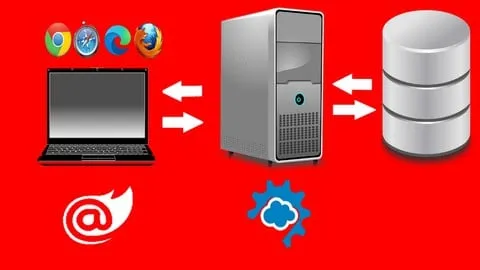
- Understand the differences between Blazor Server and Blazor WebAssembly and when to choose each architecture.
- Create reusable Razor components, event callbacks, and UI patterns for dynamic, responsive web pages.
- Implement error‑logging, global exception handling, and client‑side diagnostics for robust applications.
- Apply version‑specific updates for Visual Studio 2022, .NET 6, .NET 7, and .NET 8 while maintaining backward compatibility.
- Analyze deployment best practices, including connection‑string management and secure API consumption.
Course Details
- Instructor: JAP Software
- Rating: 4.4 stars
- Language: Spanish (es‑ES)
- Certificate: Yes, upon completion
- Includes: Lifetime access, mobile‑friendly video playback, certificate of completion
What This Course Covers
A) Introducción
- Overview of the course agenda and learning objectives.
- Installation of development environment, including Visual Studio and .NET SDKs.
- Creation of the first Blazor WebAssembly project and project structure analysis.
- Comparison of Blazor Server vs. Blazor WebAssembly architectures.
B) Configurando nuestro proyecto
- Customizing layout components and adding a loading spinner for better UX.
- Defining database models, mapping them to SQL Server tables, and configuring connection strings.
- Populating the database with seed data and exposing an endpoint that returns course entities.
- Setting up the Startup class to register services and middleware.
C) Personalizamos nuestro proyecto
- Building the main index.razor UI with reusable components and styling.
- Handling DOM events, dialogs, and user interactions using Blazor event callbacks.
- Adding detailed course content sections and implementing cancel button logic.
- Extending components with advanced event‑callback patterns for modular design.
D) Interfaz creación de pedidos
- Implementing a shopping‑cart mechanism with add‑to‑cart event callbacks.
- Developing server‑side purchase processing and persisting orders to the database.
- Displaying confirmation screens after successful transactions.
- Managing stateful data across multiple components for a seamless checkout flow.
E) Autenticación y autorización
- Creating user registration and login components with form validation.
- Validating credentials against SQL Server and issuing JWT tokens.
- Integrating AuthenticationStateProvider to protect routes and UI elements.
- Implementing logout functionality, session management, and role‑based view restrictions.
F) Actualizaciones y despliegue
- Migrating the solution to Visual Studio 2022 and .NET 6, then upgrading to .NET 7 and .NET 8.
- Updating project files, C# language version, and NuGet packages for each .NET release.
- Installing and configuring SQL Server 2022 and Management Studio for local development.
- Restoring databases, adapting stored procedures, and testing compatibility across versions.
Who Should Take This Course
- C# developers eager to explore client‑side development with Blazor WebAssembly.
- Front‑end engineers who prefer C# over JavaScript for building interactive web UIs.
- Backend developers looking to create and consume RESTful APIs using .NET and JWT.
- Professionals aiming to integrate SQL Server databases without relying on Entity Framework.
- Students preparing for .NET certification exams or seeking a portfolio‑ready project.
Prerequisites
- Basic knowledge of C# programming and object‑oriented concepts.
- Familiarity with Visual Studio or any .NET‑compatible IDE.
- Understanding of HTTP fundamentals and REST API principles (recommended but not required).
Why Enroll in This Course
This Udemy training delivers end‑to‑end, hands‑on experience building a real‑world Blazor WebAssembly application, saving you countless hours of trial‑and‑error. A free coupon provides 100 % off for a limited time, allowing immediate access without financial commitment. The curriculum stays current with .NET 8, ensuring you learn the latest practices that most competing courses overlook.
Course Highlights
- Lifetime access to all video lessons, source code, and future updates.
- Self‑paced learning with downloadable resources for offline study.
- Certificate of completion that can be added to LinkedIn or a résumé.
- Mobile‑friendly playback lets you practice on tablets or smartphones.
- Practical projects that simulate real‑world e‑commerce and user‑management scenarios.
- 30‑day money‑back guarantee for risk‑free enrollment.
Frequently Asked Questions
Q: Is this course really free?
A: Yes, the course can be accessed at no cost when you apply the current free coupon, which covers 100 % of the Udemy price for a limited period.
Q: What will I learn in this Blazor WebAssembly course?
A: You will learn to create a full‑stack web app using Blazor WebAssembly, design a SQL Server database, build a secure Web API with JWT, and handle authentication, error logging, and version upgrades up to .NET 8.
Q: Do I get a certificate after completing this course?
A: A Udemy certificate of completion is awarded automatically once you finish all video lectures and pass the optional quizzes, and you can download it directly from your Udemy dashboard.
Q: Is this course suitable for beginners?
A: The training assumes basic C# knowledge, but all Blazor‑specific concepts are explained from the ground up, making it accessible to developers new to client‑side .NET development.
Q: How long do I have to enroll for free?
A: The free coupon is available for a limited time; once you claim it, you retain unlimited access to the course content forever, even after the promotion ends.
Final Thoughts
Aprende Blazor WebAssembly + .Net + SQL Server equips C
Affiliate link — we may earn a commission
Affiliate link — we may earn a commission. Learn more