
After Effects for Beginners: Animate Stickers & Expressions
Affiliate link — we may earn a commission. Learn more
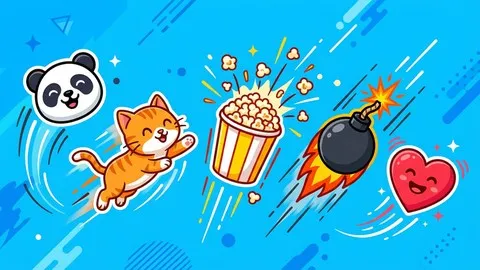
After Effects for Beginners: Animate Stickers & Expressions by Belhadj Ramzi is a hands‑on Udemy course that teaches motion‑graphics fundamentals through fun sticker animations. If you search for a free After Effects course, After Effects Udemy course, or learn motion graphics online, this 2026‑updated training appears at the top of results. The class focuses on creating six vibrant stickers, mastering keyframe animation, and applying simple expressions that automate motion. By the end, learners earn a certificate and a ready‑to‑publish sticker pack for Instagram, TikTok, and GIPHY.
What You'll Learn
- Build six custom stickers in Adobe Illustrator and import them seamlessly into After Effects.
- Master the After Effects interface, including composition settings, resolution, and frame‑rate controls.
- Learn to animate position, scale, rotation, and opacity with personality‑driven keyframes.
- Understand easy‑ease curves and the graph editor to produce smooth looping motion.
- Create dynamic wiggle, random, and loopOut expressions that reduce manual keyframing.
- Implement transparent GIF export workflows using Photoshop for social‑media ready files.
- Apply best practices for publishing animated stickers on GIPHY, boosting discoverability.
- Analyze how motion graphics enhance branding, allowing you to adapt these skills to logos and icons.
Course Details
- Instructor: Belhadj Ramzi
- Rating: 4.6 stars (4627 reviews)
- Enrolled students: 4,627
- Level: Beginner
- Language: English (en‑US)
- Last updated: July 2026
- Certificate: Yes, upon completion
- Includes: Lifetime access, mobile‑friendly video player, downloadable Illustrator assets
What This Course Covers
Sticker Design in Illustrator
- Design a set of six eye‑catching stickers (love, panda, cat, wok, bomb, popcorn).
- Choose color palettes that stand out on social‑media feeds.
- Convert Illustrator layers to shapes ready for After Effects pre‑comps.
After Effects Basics
- Import Illustrator files and create compositions with correct resolution.
- Set frame rate and work area to match GIF export requirements.
- Navigate the workspace, panels, and timeline efficiently.
Keyframes & Easy‑Ease
- Place keyframes for position, scale, rotation, and opacity.
- Use Easy‑Ease and the Graph Editor to smooth out motion curves.
- Build looping animations that feel natural and engaging.
Expressions for Automation
- Apply the wiggle expression to add subtle jitter to stickers.
- Use random and time expressions for varied motion without extra keyframes.
- Implement loopOut to create endless loops for GIF output.
Exporting & Publishing
- Render transparent video sequences directly from After Effects.
- Convert video frames to looping GIFs in Photoshop, preserving transparency.
- Upload finished stickers to GIPHY, linking them to Instagram Stories and TikTok.
Motion‑Graphics Foundations
- Explore how motion graphics can animate logos, icons, and UI elements.
- Learn best practices for timing, spacing, and visual hierarchy.
- Gain confidence to expand beyond stickers into broader animation projects.
Who Should Take This Course
- Beginners who have never opened After Effects but want a fun entry point.
- Illustrators and graphic designers eager to bring static artwork to life.
- Content creators and social‑media managers needing custom animated stickers.
- Freelancers looking to add motion‑graphics services to their portfolio.
- Students pursuing a career in digital animation or visual communication.
Prerequisites
- No prior experience needed — this course is beginner‑friendly.
- Basic computer literacy and familiarity with mouse/keyboard shortcuts.
- Recommended: a working copy of Adobe Illustrator and After Effects (any recent version).
Why Enroll in This Course
This Udemy training delivers practical motion‑graphics skills without the typical learning curve. A free coupon provides 100 % off for a limited time, making the course effectively free until the offer expires. Enrolling now ensures you receive lifetime access before the promotion ends, letting you learn at your own pace while the discount lasts. Compared with broader motion‑graphics programs, this focused curriculum lets you create marketable sticker packs in just a few hours.
Course Highlights
- Lifetime access to all video lessons and downloadable assets.
- Self‑paced learning lets you pause, rewind, and practice whenever convenient.
- Certificate of completion to showcase on LinkedIn or your portfolio.
- Mobile‑friendly playback on the Udemy app for learning on the go.
- Hands‑on projects that produce real‑world stickers ready for social media.
- Clear, step‑by‑step screen recordings that guide absolute beginners.
Frequently Asked Questions
Q: Is this course really free?
A: Yes. By applying the free Udemy coupon, you can enroll at 100 % off for the duration of the promotion. The discount is applied at checkout, and you keep the course forever after enrollment.
Q: What will I learn in this After Effects course?
A: You will learn to design stickers in Illustrator, import them into After Effects, animate using keyframes and expressions, export transparent GIFs, and publish on GIPHY. The curriculum covers the core tools needed for motion‑graphics beginners.
Q: Do I get a certificate after completing this course?
A: A Udemy‑issued certificate of completion is awarded once you finish all lessons and quizzes. You can download and share it on professional networks.
Q: Is this course suitable for beginners?
A: Absolutely. The instructor assumes no prior After Effects experience and walks you through every step, from setting up a new project to publishing finished stickers.
Q: How long do I have to enroll for free?
A: The free coupon is available for a limited time and may expire without notice. Enroll as soon as possible to lock in the 100 % discount and retain lifetime access.
Final Thoughts
After Effects for Beginners: Animate Stickers & Expressions offers a focused, hands‑on pathway to mastering motion graphics without overwhelming technical jargon. If you are a designer, content creator, or animation enthusiast seeking a practical, free Udemy course, this training equips you with the skills to animate stickers and expand into broader projects. Start today, claim your free coupon, and watch your artwork come to life!
Affiliate link — we may earn a commission
Affiliate link — we may earn a commission. Learn more



