
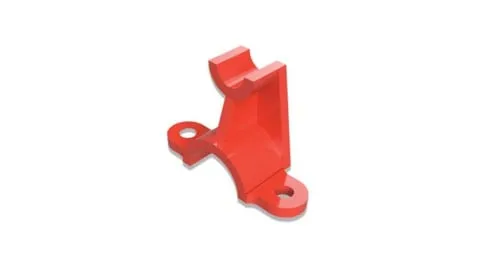
3D Modeling with Fusion 360 (Tutorial Videos)
Affiliate link — we may earn a commission. Learn more
Master CAD Design with 3D Modeling with Fusion 360 (Tutorial Videos)
Looking for a high-quality free 3D modeling course to kickstart your career in design? The 3D Modeling with Fusion 360 (Tutorial Videos) course, taught by the industry experts at CADCIM Technologies, provides a comprehensive pathway to mastering one of the most powerful CAD tools available today. Available as a Fusion 360 Udemy course, this program is updated for 2024 to ensure learners can learn 3D modeling online using the latest software workflows. By completing this training, students gain the practical skills needed to transition from simple 2D sketches to complex, manufacturing-ready 3D components and professional technical drawings.
What You'll Learn
- Master the comprehensive user interface and workspace layout of Autodesk Fusion 360 to navigate design environments efficiently.
- Develop high-precision 2D sketches by utilizing advanced constraints and dimensions to ensure geometric accuracy.
- Create complex 3D components using essential modeling operations including extrude, revolve, loft, and sweep.
- Implement professional sheet metal workflows to design components and generate accurate flat patterns for real-world manufacturing.
- Build intricate multi-part assembly systems, applying precision design techniques to ensure parts fit and function correctly.
- Apply parametric design principles to create flexible models that can be easily modified by changing a single variable.
- Analyze and execute design optimization strategies to improve the efficiency and viability of product prototypes.
- Produce industry-standard 2D technical drawings and drafting documentation required for professional engineering hand-offs.
Course Details
- Instructor: CADCIM Technologies
- Rating: 4.3 stars (thousands of reviews)
- Enrollments: 537,086 students
- Level: Beginner to Advanced
- Language: English (en-US)
- Certificate: Yes, upon completion
- Includes: Lifetime access, mobile-friendly content, and on-demand video tutorials
What This Course Covers
Getting Started with Fusion 360
- Navigating the integrated cloud-based workspace and user interface
- Understanding the various design environments and toolbars
- Setting up project folders and managing file versions
- Customizing the workspace for optimal design efficiency
2D Sketching and Foundation
- Creating basic geometric profiles using lines, circles, and arcs
- Applying geometric constraints to lock the relationship between entities
- Using dimensional constraints to define precise sizes and locations
- Mastering the sketch palette and visibility settings for complex profiles
3D Part Modeling Techniques
- Utilizing the Extrude tool to create solid volumes from 2D sketches
- Applying the Revolve command for cylindrical and symmetrical parts
- Mastering Loft and Sweep operations for complex, organic, or path-based shapes
- Modifying existing geometry using fillets, chamfers, and shells
Assembly Design and Management
- Constructing multi-part systems through assembly modeling
- Implementing top-down assembly design to ensure component interoperability
- Creating joints and constraints to simulate mechanical movement
- Managing large assemblies with organized browser structures
Sheet Metal Design and Fabrication
- Understanding sheet metal rules and material thickness settings
- Creating flanges, bends, and holes specific to sheet metal fabrication
- Generating accurate flat patterns for laser or water-jet cutting
- Using the unload and unfold tools to verify part geometry
Technical Drafting and Documentation
- Projecting 3D models into 2D drawing sheets
- Creating orthographic views, sections, and detailed callouts
- Applying industry-standard dimensioning and tolerancing
- Preparing final documentation for manufacturing and quality control
Who Should Take This Course
- Aspiring Engineers: Students and professionals who want to master the industry-standard tool for mechanical design and product development.
- Product Designers: Creatives looking to bridge the gap between conceptual sketching and manufacturable 3D prototypes.
- Diploma Holders and Undergraduates: Technical students seeking a certification to enhance their resumes and academic portfolios.
- School Students: Beginners interested in STEM, robotics, or 3D printing who want a structured introduction to CAD.
- Hobbyists and Makers: Individuals who want to design their own parts for 3D printing or CNC machining with professional precision.
Prerequisites
- No prior experience needed — this course is beginner-friendly and starts from the absolute basics of the software.
- A computer capable of running Autodesk Fusion 360 (the software offers a free personal license for hobbyists).
- A basic understanding of computer navigation and file management is recommended but not required.
Why Enroll in This Course
Investing time in this course is a strategic move for anyone entering the design or engineering field. With the availability of a free coupon, you can access this professional-grade training at 100% off for a limited time. This allows you to master a high-demand skill without financial risk. Unlike fragmented YouTube tutorials, this course provides a structured, linear curriculum that takes you from a complete novice to a confident designer, making it a superior choice for those seeking a comprehensive certification.
Course Highlights
- Comprehensive Learning Path: Moves logically from basic UI navigation to advanced parametric design and optimization.
- Manufacturing Focus: Unlike basic modeling courses, this includes dedicated modules on sheet metal and technical drafting.
- Massive Community Proof: With over 500,000 students enrolled, the content is vetted and trusted by a global audience.
- Professional Pedagogy: Taught by CADCIM Technologies, ensuring the methods taught align with actual industry standards.
- Self-Paced Flexibility: Access the tutorial videos on any device, allowing you to learn at your own speed and revisit difficult concepts.
- Certification of Completion: Earn a certificate that validates your proficiency in Fusion 360 for potential employers.
Frequently Asked Questions
Q: Is this course really free? A: Yes, when accessed via a valid free coupon, the course is available at 100% off. This allows learners to enroll and access all materials, including the video tutorials, without any payment.
Q: What will I learn in this Fusion 360 course? A: You will learn the entire pipeline of product design, starting from 2D sketching and moving into 3D part modeling, assembly design, and sheet metal fabrication. Additionally, the course covers technical drafting to help you create professional blueprints for manufacturing.
Q: Do I get a certificate after completing this course? A: Yes, upon successful completion of all the course modules and requirements, you will receive a certificate of completion. This certificate can be added to your LinkedIn profile or resume to showcase your CAD skills.
Q: Is this course suitable for beginners? A: Absolutely. The instructor explicitly designs the curriculum for those with no prior experience. The lessons start with the basics of the user interface and gradually build up to advanced topics, ensuring no student is left behind.
Q: How long do I have to enroll for free? A: Free coupons for Udemy courses are typically available for a limited time or for a specific number of redemptions. It is recommended to enroll as soon as possible to secure your lifetime access to the materials.
Final Thoughts
The 3D Modeling with Fusion 360 (Tutorial Videos) course is an exceptional resource for anyone looking to master the art of digital design. Whether you are a student or a professional engineer, the comprehensive coverage of Fusion 360 provided by CADCIM Technologies equips you with the tools to turn imaginative ideas into tangible products. Start your journey into the world of 3D modeling today and build the skills that will define your professional future.
Affiliate link — we may earn a commission
Affiliate link — we may earn a commission. Learn more



