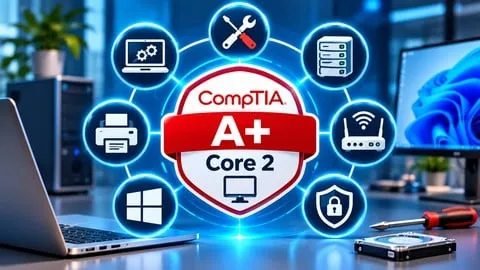
220-1202 CompTIA A+ Core 2 Practice Tests
Affiliate link — we may earn a commission. Learn more
220-1202 CompTIA A+ Core 2 Practice Tests – Exam Certification
Updated July 2026
If you’re searching for a free CompTIA A+ Core 2 course, a CompTIA A+ Udemy course, or simply want to learn IT support skills online, this practice‑test bundle delivers exactly what you need. Hosted on Udemy, the course packs realistic exam‑style questions, detailed explanations, and hands‑on scenarios that mirror real‑world support tasks. By focusing on operating‑system management, security fundamentals, and structured troubleshooting, the program equips you with the practical knowledge required to pass the 220‑1202 exam and earn the CompTIA A+ certification.
What You'll Learn
- Build comprehensive Windows OS configurations using built‑in utilities and command‑line tools.
- Master Linux and macOS basics to support cross‑platform environments common in modern help desks.
- Learn security controls, authentication methods, and malware‑prevention techniques essential for protecting workstations and mobile devices.
- Understand how to diagnose and resolve Windows, application, and mobile OS security problems with systematic troubleshooting steps.
- Create professional IT documentation, change‑management records, and backup‑recovery plans aligned with industry best practices.
- Implement remote‑access scripting and data‑protection workflows that improve support efficiency.
- Apply structured software‑troubleshooting methodologies to pinpoint root causes and deliver lasting solutions.
- Analyze real‑world scenarios to identify weak knowledge areas and reinforce learning through detailed answer explanations.
Course Details
- Instructor: Exam Certification
- Language: English (en‑US)
- Certificate: Yes, upon completion
- Includes: Lifetime access to all practice tests, mobile‑friendly video player, downloadable answer explanations
What This Course Covers
Operating Systems
- Windows installation, configuration, and administration techniques.
- Use of Windows management tools and command‑line utilities for everyday tasks.
- Fundamentals of Linux and macOS that support multi‑OS environments.
- Application installation, OS updates, and cloud‑based productivity integration.
Security
- Core security principles, authentication mechanisms, and access‑control models.
- Windows security configuration, permission settings, and hardening strategies.
- Malware identification, prevention, and response procedures.
- Wireless, browser, and mobile device protection best practices.
Software Troubleshooting
- Systematic diagnosis of Windows operating‑system failures.
- Resolution of application compatibility and software‑related issues.
- Identification and remediation of mobile OS problems.
- Investigation of security‑related software anomalies using structured techniques.
Operational Procedures
- Creation of IT documentation, change‑management logs, and incident reports.
- Design of backup, recovery, and disaster‑preparedness plans.
- Workplace safety, environmental guidelines, and licensing compliance.
- Communication protocols, scripting basics, and remote‑support workflows.
Who Should Take This Course
- Aspiring IT support specialists preparing for the CompTIA A+ Core 2 (220‑1202) exam.
- Help‑desk technicians who need realistic practice questions to sharpen troubleshooting skills.
- Beginner IT professionals looking to build a solid foundation in operating‑system and security concepts.
- Career changers aiming to break into entry‑level technical support roles.
- Experienced technicians seeking to validate and update their knowledge of current OS and cybersecurity fundamentals.
Prerequisites
- No prior experience needed — this course is beginner‑friendly.
- Basic familiarity with computer hardware concepts is helpful but not required.
- Recommended: Access to a Windows machine or virtual environment for hands‑on practice.
Why Enroll in This Course
This practice‑test collection offers a focused, exam‑aligned learning path that saves you time and money. A free coupon provides 100 % off for a limited time, making the full set of practice questions and explanations completely free until the coupon expires. Compared with generic IT tutorials, the course zeroes in on the exact objectives of the 220‑1202 exam, delivering targeted feedback that helps you identify weak spots and build confidence quickly.
Course Highlights
- Lifetime access to all practice tests and explanations, so you can study at your own pace.
- Mobile‑friendly interface lets you review questions on smartphones or tablets.
- Detailed answer breakdowns reinforce concepts and clarify why each distractor is incorrect.
- Real‑world scenarios simulate the types of problems you’ll encounter on the job.
- Certificate of completion adds credibility to your résumé and LinkedIn profile.
- Self‑paced learning allows you to focus on areas that need the most improvement.
Frequently Asked Questions
Q: Is this course really free?
A: Yes. By applying the available Udemy free coupon, you can enroll without paying a single dollar. The coupon provides a 100 % discount for the entire course, but it is only valid for a limited period, so act quickly.
Q: What will I learn in this CompTIA A+ Core 2 course?
A: You will master Windows, Linux, and macOS administration, implement security controls, practice structured troubleshooting, and follow operational procedures such as documentation and backup. Each topic is reinforced with realistic practice questions and thorough explanations.
Q: Do I get a certificate after completing this course?
A: Yes. Upon finishing all practice tests and reviewing the explanations, Udemy issues a certificate of completion that you can share with employers or add to your professional profiles.
Q: Is this course suitable for beginners?
A: Absolutely. The material starts with fundamental OS concepts and gradually introduces more complex security and troubleshooting scenarios, making it ideal for newcomers to IT support.
Q: How long do I have to enroll for free?
A: The free coupon is available for a limited time, typically a few days to a couple of weeks after it is published. Check the Udemy course page for the exact expiration date and claim the coupon before it expires.
Final Thoughts
The 220‑1202 CompTIA A+ Core 2 Practice Tests course provides a comprehensive, exam‑focused study tool for anyone serious about earning the CompTIA A+ certification. Whether you’re a beginner or an experienced technician, the practice questions, detailed explanations, and free enrollment make it an unmatched resource. Start your preparation today and move one step closer to a certified IT support career.
Affiliate link — we may earn a commission
Affiliate link — we may earn a commission. Learn more